

TM PLAY is a streamlined multimedia hub designed for quick access to videos, live streams, and cloud-stored content. It combines intuitive navigation with robust playback controls and personalization, making it simple for users to organize libraries, cast media, and enjoy high-quality streaming across devices.
Built for users who value speed and clarity, TM PLAY focuses on making media consumption straightforward. The app supports a wide range of codecs and formats, handles playlists and bookmarked shows, and integrates basic cloud synchronization. Rather than overwhelming you with settings, it prioritizes a smooth, responsive experience on phones and tablets.
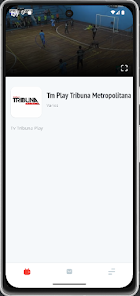
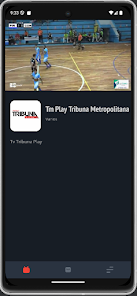
TM PLAY organizes content into a clear hierarchy: local files, cloud items, and live sources. Browsing uses a hybrid card-and-list layout so you can scan thumbnails or drill into detailed metadata. Playback offers adjustable speed, subtitle loading, and an easy timeline scrub that reduces buffering when seeking. Background playback and picture-in-picture keep audio or video running while you multitask.
Profiles let multiple users maintain separate libraries, recommendations, and viewing histories. TM PLAY includes a set of theme options and a compact mode for smaller screens. Parental controls restrict specific folders or channels and apply age-based filters for recommendations. These customization options make the app suitable for family devices or shared tablets.
The interface is deliberately lightweight. Menu layers remain shallow, and frequently used tools are surfaced within one or two taps. Performance tuning focuses on reduced memory usage while keeping video frames smooth. On mid-range devices TM PLAY balances quality and battery consumption by offering adaptive bitrate handling and a low-power background option.
TM PLAY supports a selection of cloud providers and network sources, which simplifies workflows for people who maintain large libraries. Use the built-in scanner to index folders on a local network, or link a cloud account to access archived media without downloading. The app also exposes basic intents so other productivity tools can send links or files into the player for immediate viewing.
Users highlight the app’s minimal learning curve and practical feature set. TM PLAY doesn’t try to be an all-in-one media studio; instead, it provides dependable playback, sensible organization tools, and fast access to live streams. That focus helps it stay nimble even on older hardware, which is useful for users who prefer reliability over feature bloat.
To begin, grant access to local files and optionally link a cloud account. TM PLAY walks new users through media scanning and simple playback controls on first launch. If you plan to use casting features, ensure your target device and phone are on the same network. The settings page groups common controls like subtitle language, default player behavior, and storage preferences for quick adjustments.
With straightforward configuration and predictable performance, TM PLAY serves as a practical media companion for everyday use. Whether you want a compact player for podcasts, a hub for family videos, or a way to manage and stream live channels, it covers those needs without unnecessary complexity.