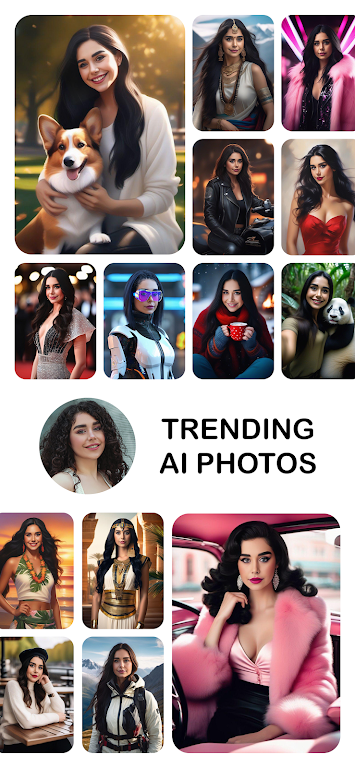
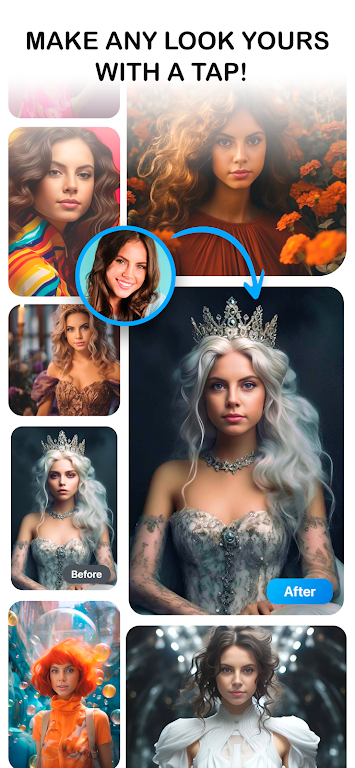
Photo Lab is a mobile photo editor that turns ordinary pictures into polished images with minimal effort. Photo Lab combines portrait retouching, creative filters, and automated effects so you can produce social-ready results quickly, whether you need subtle corrections or bold artistic transformations.
Designed for casual photographers and emerging content creators, Photo Lab organizes a broad collection of editing tools into an approachable interface. The layout prioritizes speed and clarity so that new users can complete common tasks in a few taps, while more experienced editors can explore layered effects and fine adjustments. Instant previews and one-tap processing shorten the feedback loop, making the app practical for daily use, quick social posts, and last-minute retouches before sharing.
The app provides a versatile toolkit that balances automatic assistance with manual control. A large library of filters covers looks from vintage film to modern cinematic color grades, and each preset exposes sliders for saturation, contrast, warmth, and sharpness. Portrait tools include skin smoothing, teeth whitening, and background blur, and the selective brush lets you edit specific regions without affecting the whole image. Common controls use familiar gestures: pinch to zoom, drag sliders for intensity, and long press to preview the original. Layers and a non-destructive history let you combine effects safely and step backward through edits.
The typical workflow follows intuitive steps: import, preview, adjust, and export. After importing from camera or gallery, Photo Lab suggests recommended effects based on subject type and lighting so you can quickly compare multiple looks. As you experiment, the app encourages progression by letting you save custom presets and organize starter packs, which helps you build a personal library of styles over time. This gradual progression from templates to custom workflows supports both casual one-off edits and an evolving signature aesthetic.
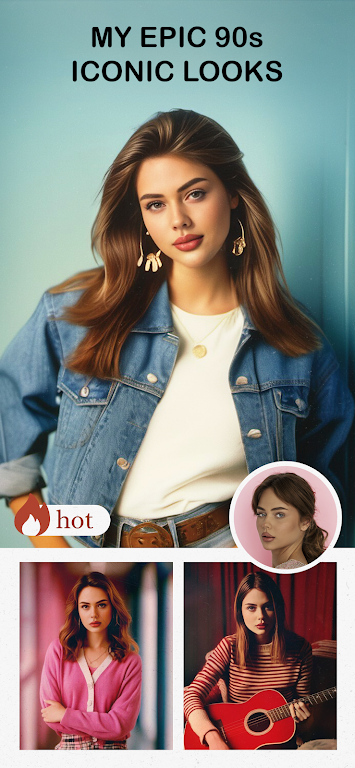
Photo Lab focuses on preserving image quality while offering a wide range of visual styles. Artistic effects include photo-to-paint conversions, double exposures, and stylized templates that add unique textures and tonal shifts. For output, the app supports common formats and optimized file-size options so you can choose higher quality for printing or smaller files for fast uploads. Export tools include adjustable resolution settings and simple presets targeted at social networks, while guidance on color profiles helps when you need accurate results for print projects.
The interface balances depth with efficiency so the app runs smoothly on many devices. A preview mode reduces processing workload for high-resolution images while retaining accuracy for the final export. Core editing features operate offline, so you can work without a persistent network connection; contextual tips and brief in-app tutorials appear when a feature benefits from a short demonstration. Accessibility considerations such as clear icons, large touch targets, and straightforward labels help users with varying experience levels get productive faster.
For users who edit frequently, Photo Lab supports batch processing to apply consistent adjustments across a set of photos, saving time on shoots and collections. Saveable presets and templates create replay value: once you establish a look you like, a single tap reproduces it across new images and projects. Periodic style updates and a growing custom preset library keep the app useful for seasonal projects, themed photo series, and iterative experimentation without requiring constant relearning.
To get the most from Photo Lab, start by trying a few templates to understand how presets affect tone and contrast, then test portrait tools on a handful of selfies to dial in subtle improvements. Use the selective brush sparingly for local corrections, clear the app cache occasionally to maintain performance, and standardize export settings if you work on multi-photo projects. Installation is straightforward: download from the app store, grant permissions for storage and camera access, follow the onboarding prompts, and explore the curated starter packs to begin building a library of presets that reflect your style.