
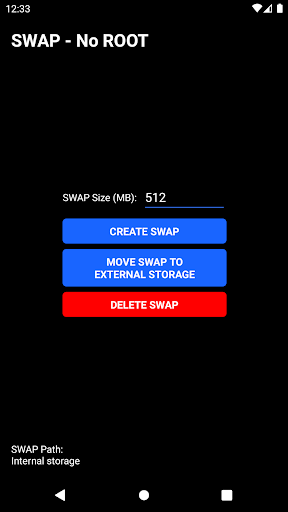
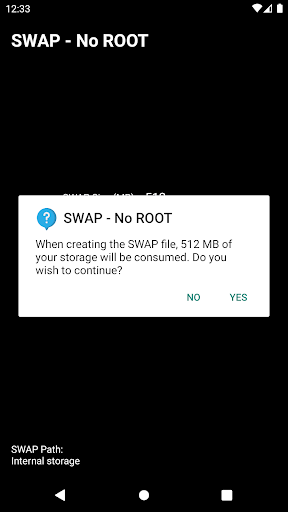
SWAP - No ROOT is an Android utility that lets you add virtual memory without rooting your device. It creates a swap file or uses zRAM-like techniques to reduce app crashes and improve multitasking on phones with limited RAM, all via a simple, permission-based workflow suitable for everyday users.
At its core, SWAP - No ROOT provides a way to expand available memory by allocating a portion of storage or compressed RAM for temporary use. Instead of modifying system partitions or requiring root access, the app uses safe, user-level methods to create swap spaces that can be started and stopped on demand. That makes it a practical option for people who need smoother multitasking on older or low-RAM devices.
The design of SWAP - No ROOT emphasizes clarity. A compact dashboard shows current RAM usage, active swap size, and quick toggles to enable or disable swap. Creating a new swap profile walks you through size selection, target storage, and a brief explanation of the trade-offs involved. The app avoids complex jargon while still exposing advanced parameters for power users.
Installing SWAP - No ROOT follows a typical Android app flow. It requests only the permissions necessary to manage files in user-accessible storage and to display system notifications for active swap sessions. No root or system-level grants are required. The installer advises on optimal storage choices and warns about using slow external SD cards to host swap files.
Adding swap can reduce out-of-memory terminations and keep background apps alive longer, but it’s not a magic fix. Because swap relies on storage I/O, performance gains depend on the underlying hardware. On phones with fast UFS storage or ample CPU for compression, SWAP - No ROOT can feel noticeably beneficial. On slower storage, activation may improve stability but not responsiveness. The app provides clear indicators so you can assess the trade-offs between smoother multitasking and battery drain.
Most modern Android devices work well with SWAP - No ROOT, but differences in kernel options, Android versions, and OEM customizations can affect behavior. If swap fails to activate, the app suggests alternative storage locations, checks for permission issues, and offers log output to help diagnose problems. Regular updates improve compatibility, so keeping the app current is recommended.
SWAP - No ROOT gives Android users a convenient, low-risk way to extend usable memory without modifying the system. By combining a straightforward interface with flexible configuration and realtime monitoring, it helps people get more from older devices and maintain smoother multitasking under realistic workloads.