
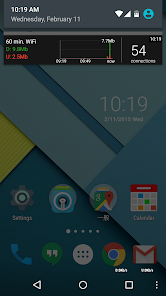
Network Monitor Mini Pro provides a lightweight, always-on overlay that displays real-time network throughput, connection details, and live speed graphs for Android devices. Designed for low overhead, it helps users watch data usage, detect slowdowns, and view per-app traffic without leaving active apps or games.
Network Monitor Mini Pro packs a concise set of tools for anyone who needs continuous visibility into mobile connectivity. The app shows instantaneous upload and download rates, a compact historical chart, per-process network statistics, and connection type indicators (Wi‑Fi, mobile, VPN). It also supports customizable overlays so the information appears where you want it without interfering with the user interface of other apps.
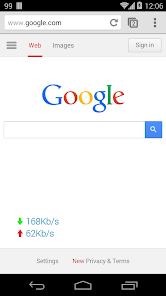
The overlay is designed to be minimally intrusive while delivering meaningful telemetry. Small numeric readouts give current speeds, while a tiny sparkline illustrates recent trends. Tap or long-press the overlay to expand details such as total transferred bytes, IP addresses, DNS servers in use, and per-app data consumption. The interface is optimized for one-handed use and remains visible over full-screen apps like video players and games.
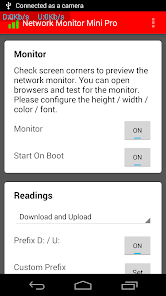
Customization is one of Network Monitor Mini Pro’s strong points. Users can change overlay size, color, transparency, and position. Threshold-based alerts notify you when speed drops below or jumps above configured values, and data caps can be set to warn before you exceed monthly limits. Widgets and quick settings tiles make it easy to toggle monitoring without opening the app.
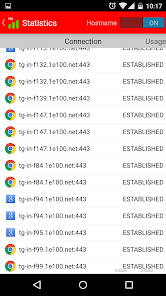
This tool fits into several everyday scenarios. If you rely on mobile hotspots, the overlay helps identify weak spots in coverage by exposing moment-to-moment fluctuations. For users on metered plans, per-app accounting clarifies which apps are consuming unexpected bandwidth. Developers and IT professionals can use the per-process breakdown to validate background traffic while testing apps. Gamers and streamers benefit from seeing latency trends and throughput during live sessions.
Network Monitor Mini Pro is engineered to be efficient. Background sampling rates are configurable so you can balance granularity against battery life. On many devices the app uses minimal CPU and memory, and it avoids unnecessary wakeups by adapting polling intervals when the screen is off. The settings include power-saving modes that reduce sampling intensity to preserve battery while still providing useful summaries.
The app supports a wide range of Android versions and works with both Wi‑Fi and mobile data. To capture per-app network usage it requests the standard Android permissions for network stats and overlay display; these permissions are used locally and do not transmit personal data off the device. VPN and tethering setups are recognized, and the app will reflect those connection types in its status info.
After installing Network Monitor Mini Pro, grant the required permissions and enable the overlay. Configure the appearance and set preferred sampling intervals from the main settings screen. If you use the app regularly, pin it to quick settings for faster access. Regularly review the per-app usage list to keep tabs on data-hungry processes and optimize your mobile experience.