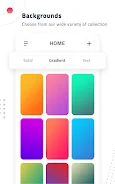

Solid Color Wallpapers is a focused wallpaper creator that helps you build clean, personalized backgrounds using solid colors, gradients, photos, text, stickers and simple freehand drawing. Solid Color Wallpapers opens to a live preview so you can see how a design will look on your home and lock screen as you edit, and the app keeps the interface deliberately straightforward so anyone can start creating without a steep learning curve.
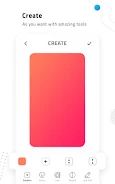
Start with a single solid color or choose a gradient and then layer in a photo from your gallery, a short caption or a playful sticker. The editor supports common quick adjustments such as crop, rotate, scale and simple brightness/contrast sliders so personal images fit the background cleanly. A freehand drawing tool and basic text controls let you add hand-drawn accents or type-based labels. Designs can be saved as presets so you can reuse palettes and compositions across devices or to produce matching home and lock screen pairs.
The app uses touch-friendly controls that mirror familiar patterns: tap to select, drag to reposition elements, pinch to zoom and two-finger rotate for images. Long-pressing a layer opens context options like duplicate or delete, and a compact undo/redo stack makes small experiments low risk. Live preview updates in real time so positioning, color choice and text sizing are visible immediately. The workflow is geared toward short editing sessions—select a base color, place any extra elements and then export or schedule the wallpaper with just a few taps.
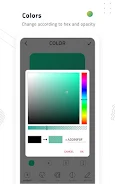
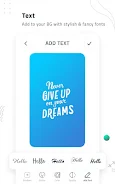
Customization centers on clean, modern visuals: flat solid tones, subtle multi-stop gradients and restrained sticker styles that keep the focus on color and composition. A curated palette and a color picker let you lock down exact hex values for consistent themes. Text controls include font size, alignment and simple opacity adjustments so captions sit comfortably on any background. If you prefer minimalism, the app makes it quick to create bold color blocks; for more expressive looks you can blend gradients, images and hand-drawn marks.
Solid Color Wallpapers includes scheduling tools that let you rotate wallpapers automatically at chosen intervals, which is useful for daily refreshes or seasonal sets. You can create a progression of saved wallpapers and assign them to a rotation lineup; the app will cycle through these on a schedule you define. This progression system encourages ongoing customization rather than a single static choice, adding replay value as you build and refine themed collections over time.
The app is designed to work fully offline once installed, so all editing and preview actions are local to your device and do not require an internet connection. Accessibility considerations include high-contrast palette options, scalable UI text and simple touch targets for users who prefer larger controls. The clean interface avoids clutter, which helps those using assistive tools or limited screen sizes to move through the editor quickly.
Because the main interactions are compact and immediate—choose color, add an element, preview and save—the app rewards short creative sessions and repeated use. Users often assemble multiple themed collections (for example, workday, weekend and seasonal palettes) and rotate between them. The combination of quick presets, manual drawing and photo import keeps the experience fresh: a simple color tweak or a new sticker can change a look entirely, encouraging frequent revisits.
Solid Color Wallpapers is not promoted as a full-featured photo editor; it focuses on composition and color rather than advanced image manipulation. Users seeking complex layer effects, selective object removal or professional-level retouching may find those tools limited. The app is best suited for people who want minimalist or boldly colored backgrounds, fast customization and dependable automatic refresh options without a steep setup.
Begin by picking a base color or gradient, import any personal photo if desired, add text or light stickers and apply simple adjustments. Save your creation as a preset and then schedule it or add it to a rotation lineup to keep your device appearance evolving. Solid Color Wallpapers keeps the process lightweight and flexible, giving you practical controls and creative building blocks so your phone reflects your style every day.