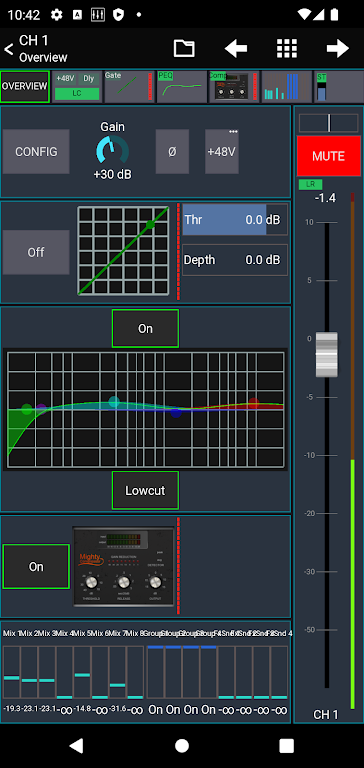
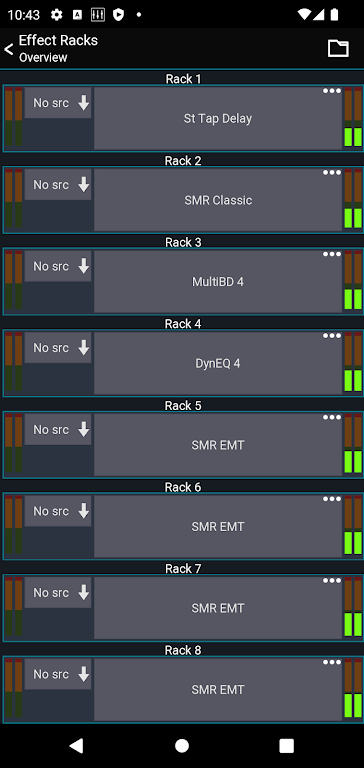
During a rehearsal while the band runs through a new set, having hands-on control over faders and effects can save the night. Mixing Station brings a mobile-native interface for managing digital mixers and routing audio with precision, so you can shape sound on stage or in a small studio without hauling a laptop. The app links channel control, labeling and layout customization into one pocket-sized console, giving you a way to stay focused on tone and timing whether you are prepping a live show or polishing a field recording.
Install and pair: Open the app and follow the simple discovery steps to connect to a compatible digital mixer on the same network or via USB where supported.
Choose a layout: Pick a channel layout that matches your hardware or workflow; presets shorten setup time and you can tweak them afterwards.
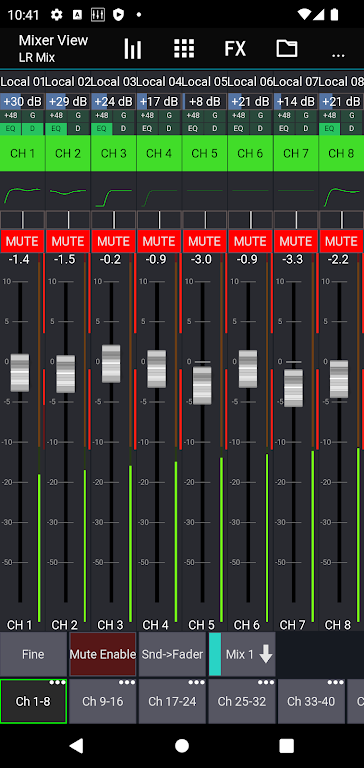
Map controls: Assign faders, mutes and auxiliary sends so the on-screen controls mirror the physical desk you use most often.
Save and recall scenes: Store channel naming, routing and parameter presets so you can jump between songs, venues or rehearsal setups quickly.
Custom channel labeling: Rename channels, groups and buses to make the surface meaningful for your show so you never fumble for the right slider.
Multi-mixer management: Monitor and control more than one mixer from the same interface, which helps when running backline splits or combining FOH and monitor desks.
DAW-friendly workflow: Route stems to your preferred DAW for recording or detailed editing, keeping mobile edits compatible with desktop sessions.
Tailored modules: Load device-specific modules so the control layout reflects the exact feature set of the hardware you own.
Visual feedback: See meters, mute states and parameter labels at a glance to make fast decisions during a live set or rehearsal.
Pre-label before showtime: Spend a few minutes naming channels and setting colors; it reduces mistakes under pressure during a live mix.
Create a monitor layer: Set up a dedicated layer for in-ear mixes or foldback so the front-of-house adjustments don’t affect performer mixes.
Use templates for repeated gigs: Save a template for a specific venue or event type and update it as the stage plot evolves.
Test on-location: Run a quick soundcheck using the app on the actual network you’ll use for the gig to catch latency or routing quirks early.
Mixing Station is a capable tool for anyone who wants portable, detailed control over digital mixers and signal paths. It shines when you need tailored layouts, multi-mixer oversight and smooth DAW handoffs, and it fits mobile rigs or compact studios well. Bear in mind that the depth of options can feel dense at first, so this app rewards a little time invested in setup but then becomes a powerful companion for live and location sound work.