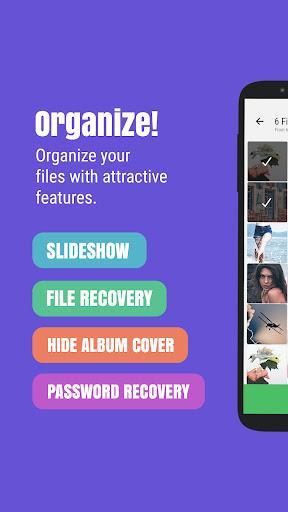
Photo & Video Locker - Gallery is a privacy-focused Android tool that protects personal photos and videos with PIN, pattern, or fingerprint locks while offering an intuitive gallery interface. It combines fast encryption, secure storage, and simple organization so users can quickly hide sensitive media without sacrificing ease of access.
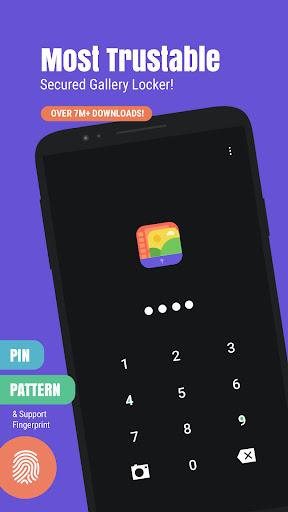
Photo & Video Locker - Gallery brings together a set of practical features aimed at protecting media files on your device. The app supports multiple lock methods, including PIN, pattern and biometric unlocking, so you can secure content with the method that fits your device and habits. Encrypted storage prevents unauthorized access, while an integrated gallery view makes browsing hidden items seamless.
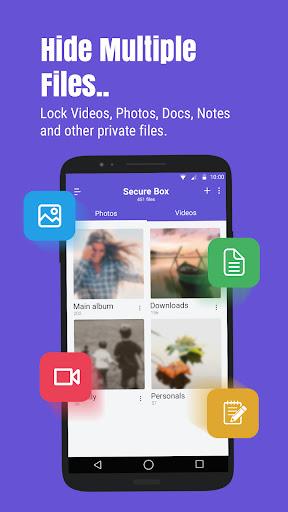
The app emphasizes a clean, familiar gallery layout that reduces the learning curve. Thumbnails load quickly and can be arranged by date or name. A minimal toolbar keeps essential actions—import, export, delete—within easy reach, while a settings pane lets users customize appearance, thumbnails size and sorting behavior.
Security in Photo & Video Locker - Gallery is layered. First, authentication prevents casual access using credentials you set. Second, files are hidden from the default Android gallery and file explorers, and the app uses private storage so ordinary apps cannot read the vault contents. Optional decoy modes and break-in alerts add extra protection for users who want warnings or false vaults to deter intruders.
Managing content is straightforward: import images and videos into the vault via the share menu, the app’s import button, or by selecting items from the built-in browser. Once inside, items can be grouped into custom albums, tagged for quick searches, or sorted by date and size. Batch actions allow moving, deleting or exporting many files at once, which is helpful during large cleanups.
The app is optimized to run smoothly on a wide range of Android devices, from budget phones to high-end models. Thumbnail caching reduces load times when browsing large collections, and background imports keep the interface responsive. Compatibility with Android versions varies, but the app supports most modern releases and leverages biometric APIs where available for secure unlocking.
To get the most out of Photo & Video Locker - Gallery, enable biometric unlocking if your device supports it for fast and secure access. Regularly back up important vault contents to an encrypted cloud or external storage so you don’t lose files if the device is reset. Use album names and tags to keep the hidden library organized and take advantage of batch export when migrating data.
After installing, set a recovery option and choose a lock method during the initial setup. Import a few test files to become comfortable with the import/export workflow and try the slideshow or video playback to confirm compatibility. The interface focuses on clarity, so most users will be able to secure media and navigate the vault with minimal guidance.
Photo & Video Locker - Gallery balances strong privacy controls with an accessible gallery experience. It is designed for users who want a reliable way to hide sensitive photos and videos without dealing with complicated encryption tools. The app’s combination of performance, intuitive design and practical features makes it a solid option for safeguarding personal media on Android devices.