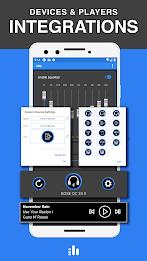
Audio enhancement utilities for Android have evolved beyond simple tone tweaks, and Equalizer & Bass Booster - XEQ brings a selection of pro-grade controls to your phone for clearer, fuller playback. This app combines a multiband equalizer, bass and volume boosting, and device-aware preset handling so you can shape sound across headphones, Bluetooth speakers, and car systems. Whether you want punchy low end for bass-heavy tracks or subtle clarity for podcasts, XEQ gives you hands-on control and a clean interface to manage multiple listening scenarios.
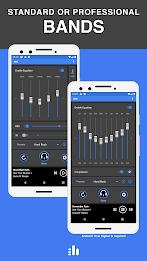
10-band equalizer: Fine-tune frequency bands for precise tonal shaping instead of relying on one-size-fits-all presets.
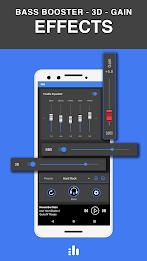
Bass Booster and Sound Booster: Increase low-frequency impact and overall loudness independently to suit different speakers and headphones.
3D Virtualizer: Add a sense of space and depth to stereo mixes for a more immersive listening experience on standard earphones.
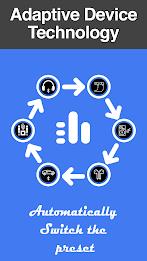
Device preset management: Create and assign unique presets per device so your car, earbuds, and living-room speaker each load the right profile automatically.
Spotify integration: Displays currently playing track info and offers basic playback controls from inside the app for convenience.
Quick presets: Ready-made profiles for common genres like rock, pop, and classical to get you started fast.
Custom presets: Save your own configurations and name them for different devices or listening contexts.
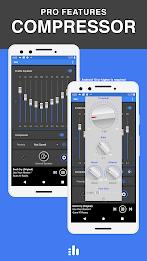
Professional tools: Multiband compression and limiter functions help control dynamics for louder, cleaner output on challenging recordings.
Automatic Gain Control (AGC): Smooths sudden volume jumps when you change an equalizer curve so playback remains steady.
Match presets to hardware: Make a low-bass preset for small Bluetooth speakers and a flatter preset for studio headphones to avoid muddy sound.
Use the limiter for podcasts: If spoken-word content feels uneven, enable the limiter to reduce peak variations without crushing clarity.
Test with reference tracks: Pick a familiar song or two when adjusting bands so you notice how each change affects vocals, kick, and cymbals.
Create travel and home profiles: Build one preset optimized for noisy environments like flights and another for quiet home listening; switch or let the app auto-select based on connected device.
Do I need a rooted phone to use XEQ?
No. The core equalizer and boosting features work on non-rooted devices, but some advanced processing requires Android 10 or newer and the pro option.
Will it work with all streaming services?
The app is designed to be compatible with major music services and web players because it processes system audio, and it also integrates directly with Spotify for metadata and basic controls.
Can I assign different presets to multiple devices?
Yes. You can create a preset for each connected audio device and the app can automatically load the matching profile when that device connects.
Does boosting bass or volume risk damaging my speakers?
Excessive boosting can push small speakers or low-quality earbuds beyond their limits, so increase levels gradually and rely on the limiter if you want louder output without distortion.
Equalizer & Bass Booster - XEQ is a solid choice if you want flexible EQ control and device-aware presets on Android, with extras like compression and limiter for more serious tweaking; it shines for listeners who switch between multiple audio setups. Try the free features to see how it changes your daily listening, and consider the pro options if you need the advanced processing; note that some pro tools require Android 10 or higher.