Most people get tired of juggling work rosters across different apps and paper notes, especially when shifts change at short notice; Supershift aims to simplify that chaos by putting shift planning, exports and backups in one place. This Android tool works as a focused calendar for hourly workers and managers who need clear visuals, simple rotation controls and reliable export options. The opening paragraph gives you a quick sense of Supershift: it helps you set up multiple daily shifts, track earnings, and move schedules into common calendars for personal or team use.
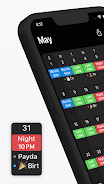
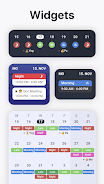
Customizable shifts: Supershift lets you create distinct shift entries with names, colors and icons so your calendar shows a clear layout at a glance.
Multiple shifts per day: If your day includes split shifts or back-to-back blocks, you can stack several entries on the same date and keep start and end times separate.
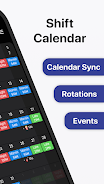
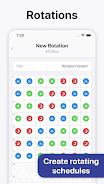
Rotation templates: Create repeating patterns for common cycles and apply them across weeks so recurring schedules are faster to build.
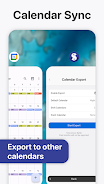
Export and sync options: Export calendars for use in Google or Outlook, so your work roster can live alongside personal appointments or be shared with colleagues.
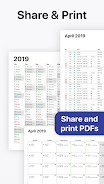
PDF export for offline use: Produce printable schedules and reports so you can view or hand out timetables where an internet connection is not available.
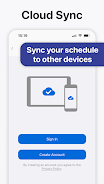
Cloud backup: Secure your setup in the cloud to avoid re-entering shifts after switching devices or restoring an account.
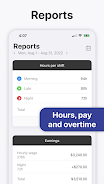
Earnings summary: Track estimated pay per shift or period to help plan finances and spot high-earning days without manual calculations.
Use color coding: Assign colors for different roles or shift types to scan weekly or monthly views quickly.
Save common patterns: Build templates for night shifts, weekend rotations or holiday coverage so you can apply them in one tap.
Plan around non-work commitments: Enter recurring personal events like school pickups or class schedules and export a merged view to avoid conflicts when trading shifts.
Review earnings weekly: Check the built-in summaries after a busy week to spot overtime windows or gaps that need coverage.
Can I sync Supershift with Google Calendar or Outlook?
Yes. Supershift supports exporting schedule data that can be imported into common calendar apps so your shifts appear alongside other appointments.
Is there a way to save schedules for offline reference?
Yes. You can export schedules as PDF files which makes them easy to view or print when you do not have an internet connection.
Does Supershift keep a backup of my shifts?
The app offers cloud backup so you do not lose your setup when you change devices or need to restore data.
Supershift focuses on clear visual scheduling, repeatable rotations and practical export options, making it a handy choice for anyone managing hourly work. Try it to speed up routine roster tasks and share schedules with coworkers; give Supershift a go and see if it fits your workflow.