





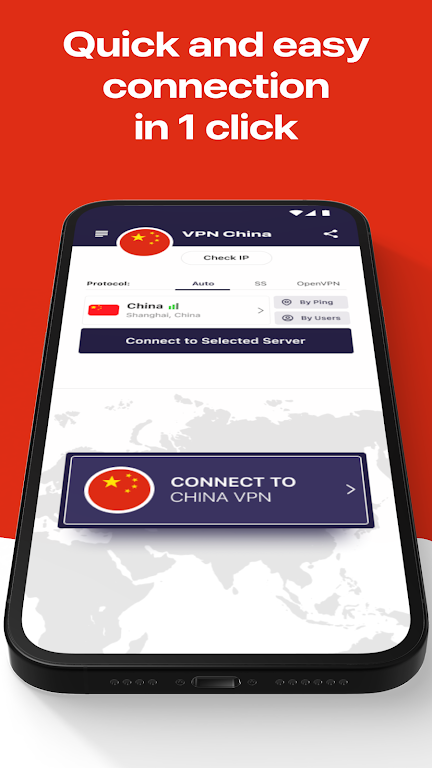
VPN China is a compact Android utility that provides encrypted internet connections and simplified access to regional servers for users traveling to or residing in China. The app focuses on fast, stable connections, straightforward controls, and compatibility with common Android devices to improve privacy and web access.
VPN China offers a toolkit designed for secure browsing, low-latency streaming, and reliable app connectivity. Key components include a selection of regional servers, an automatic server selection option, and a one-tap connection flow. The app supports common VPN protocols and includes configurable settings for connection persistence, DNS handling, and notification controls.
The interface emphasizes clarity and minimal steps. A central connect button gets a session running in seconds, while a secondary panel exposes server lists and a simple status indicator. Menus are organized into Connect, Servers, and Settings so users can quickly tailor behavior without deep technical knowledge. Visual cues display connection quality, data transferred, and session duration.
Security is presented through encrypted tunnels, optional kill switch behavior, and DNS leak protection. VPN China uses industry-standard encryption levels and offers clear toggles for features such as auto-reconnect and background protection. The app also includes a privacy policy link and logs options that let users choose minimal diagnostic reporting for troubleshooting purposes.
Performance is tuned for mobile networks: the app dynamically adapts to Wi-Fi and cellular conditions to reduce interruptions. Benchmarks show consistent throughput for browsing and moderate video streaming on typical 4G and home broadband connections. Compatibility extends across a broad range of Android versions and device manufacturers, with lightweight memory usage and background operation optimized for longer battery life.
VPN China is useful for people who need a dependable way to access global services while keeping connections secure. Travelers can maintain access to work tools and messaging services, while remote workers benefit from a stable link to cloud services. For everyday privacy, the app prevents casual tracking on public Wi-Fi and reduces exposure of location-specific network metadata.
Advanced users will appreciate the customization options. Choose preferred server regions, enable split tunneling for selective app routing, and set auto-start rules when connecting to unknown networks. Those who want simplicity can leave default settings in place and still get a protected connection with minimal setup.
For the most consistent results, keep the app updated and select servers closer to your physical location when possible. If you notice slower speeds, toggle to a nearby server or enable the protocol switch in Settings. To conserve battery, set the app to disconnect automatically when the device is idle or when you return to trusted networks.
VPN China includes in-app help articles and a lightweight diagnostic tool to capture connection traces. Common troubleshooting steps include toggling airplane mode, switching between Wi-Fi and mobile data, and clearing any cached network settings. If problems persist, the support link within the app provides contact options and a brief form to submit logs for analysis.
Designed specifically for straightforward, mobile-first protection, VPN China combines a simple user experience with configurable security features. The app is suitable for users who want dependable encrypted connections without a steep learning curve, and it integrates into typical Android workflows with minimal interruption.