

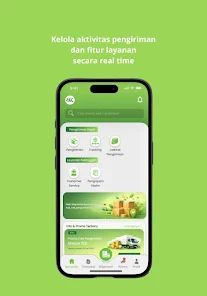
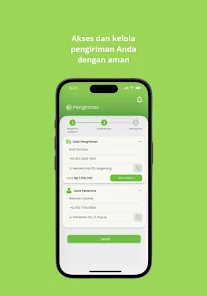
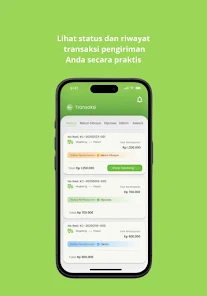
Al Kafii Cargo - CRM streamlines freight and customer relationship workflows in one clean Android interface, designed for logistics teams and drivers. The app centralizes shipments, client records, and tracking updates so users can manage bookings, monitor deliveries, and communicate with customers from a single mobile dashboard.
Built for small to mid-sized carriers and forwarding agents, Al Kafii Cargo - CRM focuses on practical tools rather than flashy extras. It prioritizes speed and clarity: creating a booking, assigning a vehicle or driver, and updating status takes only a few taps. The architecture encourages consistent data entry to reduce errors and improve reporting.
The interface favors legibility: large buttons, clear icons, and an uncluttered color palette. Menus are hierarchical but shallow, minimizing taps to reach the most-used screens. On modern Android devices Al Kafii Cargo - CRM performs smoothly; loading lists and applying filters are responsive even with hundreds of records.
What sets this CRM apart is how it maps to real logistics processes. Dispatchers can assign drivers from a roster, schedule pickups, and flag priority shipments. Drivers use a simplified view for pickup confirmations, route notes, and photo capture. Administrators access exportable lists for invoicing and reconciliation.
The app supports CSV export for integration with accounting or TMS systems, and stores attachments in a folder structure that’s simple to back up. While it doesn’t include deep ERP connectors out of the box, its straightforward import/export and well-labeled fields make integration projects predictable.
Al Kafii Cargo - CRM provides role-based access so you can separate dispatcher, driver, and admin capabilities. Data encryption for locally stored documents reduces risk on lost devices. For teams, user sessions and password policies help maintain control over sensitive information.
Start by standardizing how you enter commodities and locations so reports stay accurate. Assign one admin to approve new users and review permission settings. Use the photo attachment feature consistently for proof-of-delivery to reduce disputes and speed up billing cycles.
Installing Al Kafii Cargo - CRM is straightforward: download the APK, grant storage and camera permissions, and complete a one-time setup to input company details and a primary administrator account. Import historical shipments using CSV when migrating from spreadsheets to preserve continuity.
Think of the app as a focused mobile CRM tailored for logistics rather than a full enterprise TMS. It excels when paired with back-office accounting systems or a cloud TMS that handles route optimization and carrier settlement. For many operators, using Al Kafii Cargo - CRM reduces phone traffic and speeds billing by consolidating delivery evidence.
Al Kafii Cargo - CRM is a practical tool for teams that need consistent data capture, quick updates, and simple integrations. It keeps everyday logistics work organized without adding unnecessary complexity, making it a sensible choice for operators looking to replace paper and spreadsheets with a purpose-built mobile solution.