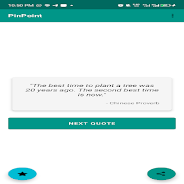
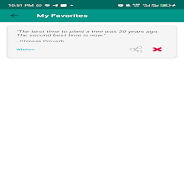
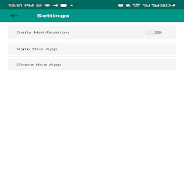
Pinpoint is a lightweight location and annotation app that simplifies capturing, organizing, and sharing precise places from your Android device. It combines mapping, custom markers, offline access, and quick sharing tools so users can save important spots, plan routes, and collaborate without navigating complex menus.
Pinpoint puts mapping essentials front and center. Create custom markers with titles, photos, and notes, group locations into lists, and label entries with tags or colors for fast filtering. Offline map tiles let you keep maps and routes available without a network connection, while export options support GPX, KML, and CSV formats for use in other tools.
The organizational model in Pinpoint emphasizes clarity and speed. Markers are stored in collections that you can name and share; each entry can include timestamps, attachments, and optional privacy settings. Use search to find saved spots instantly, or rely on map clustering to reduce clutter when many pins are close together. The app also offers geotag-based sorting to surface nearby or recently added items first.
Pinpoint is built to fit into everyday tasks. Add a new marker with a single tap, attach a photo or voice note, and choose whether the pin is private, shared, or public. Share links or export files to send locations to teammates or friends. Navigation integrations let you open a selected pin in your preferred navigation app for turn-by-turn directions, and calendar integration helps turn locations into appointments.
Visual customization helps differentiate categories and priorities. Choose from a palette of marker colors and a library of icons, toggle base maps between satellite, terrain, and standard views, and adjust label density to declutter the map. Layer controls enable you to show or hide collections quickly, so you can focus on a specific task like scouting venues or tracking field visits.
Collaboration tools in Pinpoint are lightweight but effective. Share entire lists with colleagues via invite links, or export single markers for quick handoffs. Permission controls let you restrict editing to list owners while allowing others to view and comment. For teams that need routine exports, automated GPX generation simplifies data handoff to GIS or logistics platforms.
Designed for efficient battery and data use, Pinpoint caches only the tiles and attachments you need and avoids continuous background GPS polling unless you enable active tracking. The app runs smoothly on a wide range of Android devices, from budget phones to high-end models, and supports adjustable cache sizes so you can balance storage with offline availability.
Privacy controls let you keep sensitive locations local or sync them to an encrypted cloud backup. Manual export and import give you full control over where data lives, and optional authentication locks app access. Pinpoint’s approach to permissions requests is explicit: location access is only used when necessary and can be restricted to foreground use.
Pinpoint suits a variety of users: field workers needing a simple way to log visits, travelers saving memorable locations, event planners mapping venues, and small teams coordinating site-based tasks. Its balance of straightforward controls and exportable data makes it useful both for casual map users and for workflows that require structured location records.
With a focus on clarity, responsive performance, and useful export options, Pinpoint helps you capture, organize, and share place-based information without added complexity. Whether you are mapping routine stops or building a shared dataset, the app keeps essential tools accessible and easy to use.