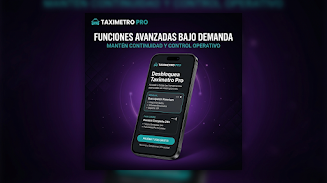
TaximetroPro is a compact, feature-rich taxi fare calculator designed for drivers and ride-hailing operators who need accurate meter readings and clear fare breakdowns. The app pairs live distance and time tracking with customizable rates, offering an efficient way to manage trips, receipts, and daily earnings on a single mobile screen.
At its core, TaximetroPro turns your Android device into a professional taximeter. It combines GPS-based distance measurement, configurable tariffs, and pause detection so fares reflect real driving conditions. The app supports multiple rate cards, surge multipliers, and optional extras like luggage or waiting charges.
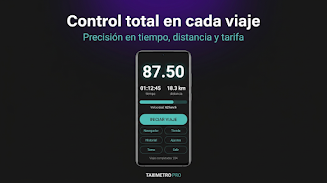
Using TaximetroPro is a simple sequence of steps: configure your vehicle rates, start the meter when a journey begins, and stop or pause it when you finish or wait. The app automatically calculates distance and time components, applies any active tariff, and displays the current fare. A clear start/stop interface minimizes accidental inputs while driving.
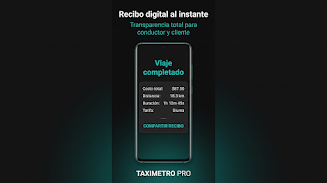
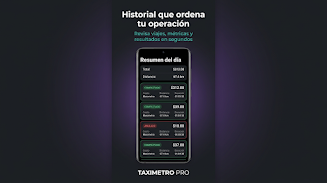
Drivers typically open TaximetroPro at shift start, switch to their default tariff, and let the app run in the foreground or background. If a passenger requests a waiting period or a detour, drivers can pause the distance counter or add manual surcharges. Completed trips are saved locally for auditing and daily reconciliation.
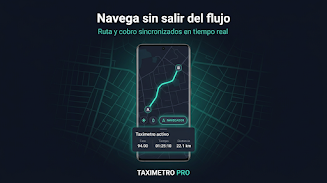
The interface balances readability and compactness: large start/stop buttons, an easy-to-scan fare display, and a map preview. TaximetroPro keeps resource usage low to preserve battery life during long shifts. Network dependency is minimal — GPS handles core functions, and data sync is optional for export and backup.
TaximetroPro offers depth in configuration to match regional regulations and individual business needs. You can create multiple profiles for different vehicles, set automatic tariff switches at specific times, and include optional fees such as airport surcharges or extra passenger charges.
Start by calibrating TaximetroPro on a short, known-distance route to confirm GPS accuracy and rate application. Keep the app updated to benefit from bug fixes and mapping improvements. Use the trip export feature frequently to reconcile earnings and to spot discrepancies early.
Download TaximetroPro from the Android store, grant location permissions, and enter your first tariff. The onboarding checklist guides you through vehicle setup, tariff creation, and a short validation drive. Most drivers can be operational within five to ten minutes after installation.
For operators managing a fleet, TaximetroPro’s export and profile-sharing tools speed up deployment. With its focus on accuracy, low overhead, and flexible rate management, TaximetroPro provides a professional meter alternative for independent drivers and small fleets seeking better control over fares and records.