







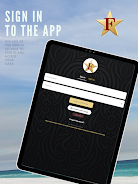

List of Favorites is a streamlined Android utility that helps you collect, organize, and access frequently used links, notes, contacts, and media in one place. Designed for quick retrieval and low friction, it combines smart sorting, customizable categories, and a fast search to make everyday tasks smoother and more productive.
List of Favorites positions itself as a lightweight organizer for people who juggle many digital items across apps. Instead of hopping through menus or bookmarking dozens of pages, you can build a curated set of entries — from favorite websites and recipes to important phone numbers and travel details — and reach them in a couple of taps.
The app focuses on speed and clarity. It supports multiple entry types, lets you tag and color-code items, and offers offline access for anything you save locally. A compact interface eliminates clutter while keeping the most-used controls prominently available. For anyone who values faster workflows on mobile, List of Favorites reduces friction.
Adding an item takes just a few taps. Choose the type of entry, add a title and notes, assign a tag or folder, and optionally pick a color for quick visual recognition. The home screen shows recently used and pinned favorites so the things you access most often are always within reach. Filters let you narrow visible lists by type, tag, or date.
List of Favorites gives you several ways to tailor the experience. You can switch between list and grid layouts, adjust row density for compact viewing, and set a default folder for new items. Widgets bring favorite entries directly to your Android home screen. For advanced users, custom icons and color palettes help match the app to your visual preferences.
The app prioritizes responsiveness. Scrolling through hundreds of entries remains smooth thanks to efficient data handling. The interface balances simplicity with function: large touch targets, clear typography, and consistent placement of action buttons reduce cognitive load. Battery and memory usage stay modest, making it suitable for older phones.
Local-only mode stores everything on your device, while cloud sync uses encrypted storage to protect data in transit. The app also supports export to common formats so you can keep an external copy. Permission requests are reasonable and limited to storage and optional sync accounts.
Installing List of Favorites is straightforward from any Android app store. On first run, a brief walkthrough demonstrates adding an entry, pinning items, and creating tags. Import tools let you bring in bookmarks or CSV lists from other apps to minimize setup time.
This utility is valuable for professionals who need quick access to reference material, students managing research snippets, and anyone who stores frequently used links or contact information. If you frequently repeat the same few tasks on mobile, List of Favorites will reduce taps and decision time.
Overall, the app shines through practical features, a focused interface, and options for personalization. Whether you want a simple shortcut drawer or a more structured reference library, List of Favorites offers a flexible foundation that adapts to daily routines and improves productivity.