
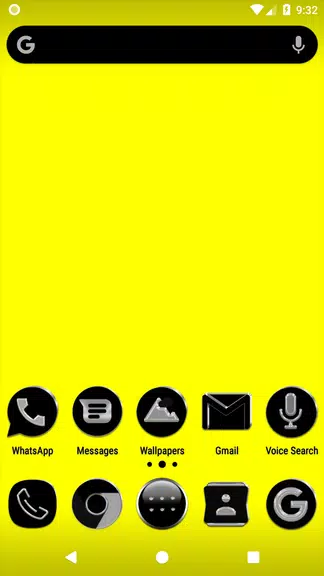
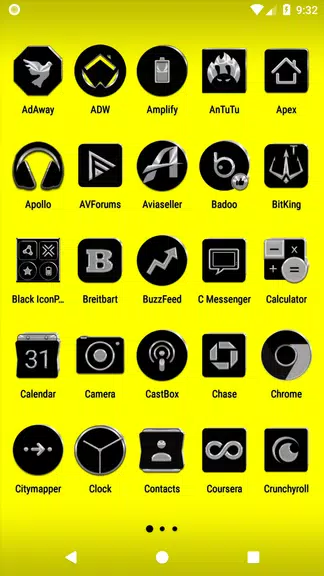
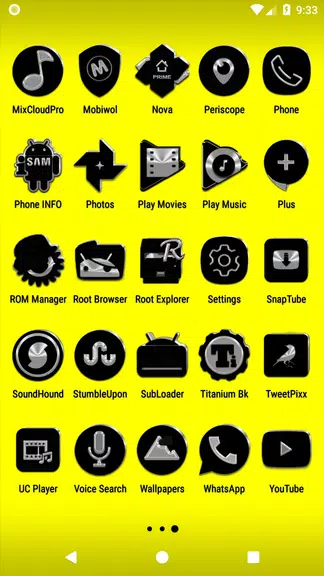
Black Icon Pack brings a sleek, minimal black-and-white aesthetic to Android launchers, replacing app icons with a cohesive monochrome set. Designed for clarity and consistency, Black Icon Pack simplifies your home screen while keeping each icon instantly recognizable through bold silhouettes and subtle detailing.
Black Icon Pack focuses on delivering a unified visual language across your device. The pack contains hundreds of handcrafted icons, matching wallpapers, and themed resources to ensure a polished look. Each icon is designed to be legible at a glance, balancing negative space and contrast so app shapes remain distinct even without color.
The pack integrates with a wide range of third-party launchers, allowing you to apply the icon set without changing your preferred workflow. Home screen customization remains flexible: mix and match individual icons, apply icon size adjustments, or use launcher-specific gestures and widgets. Black Icon Pack supports adaptive icon formats where available, improving shape consistency across devices.
Getting started is straightforward. Install Black Icon Pack from the Play Store, open the app, and use the built-in apply tool to connect with your launcher. If your launcher does not appear in the list, use the manual apply option from the launcher’s settings. The app also provides a preview mode so you can review how the icons will appear on your home and app drawer before committing to changes.
Designed with efficiency in mind, Black Icon Pack keeps resource use minimal. Icons are vector-based where possible to reduce memory footprint and maintain sharpness on different screen densities. The pack is compatible with most mainstream Android launchers, including popular choices known for extensive customization. Users with older devices should notice little impact on speed or battery life when the pack is applied.
The guiding principle behind Black Icon Pack is clarity through reduction. By removing color noise and emphasizing icon shapes, the pack helps users locate apps more quickly and create a visually quiet home screen. The monochrome approach also complements themed setups, whether you prefer an ultra-minimal look or a stylized dark aesthetic.
Frequent updates add new icons and refine existing artwork. The app includes an icon request feature so you can ask the developer to create icons for apps not yet covered. A built-in FAQ addresses common questions about apply steps, launcher compatibility, and troubleshooting, while email support is available for more specific issues.
If you favor a clean, monochrome interface and prioritize legibility over colorful branding, Black Icon Pack is a strong choice. It suits users aiming for a cohesive visual experience, designers who want a neutral base for themed setups, and anyone seeking a subdued, professional appearance for their device.
Black Icon Pack provides a focused, high-quality icon collection that enhances Android personalization without complicating your setup. With simple installation, careful attention to design detail, and ongoing updates, it’s a practical option for achieving a minimalist home screen that remains functional and elegant.