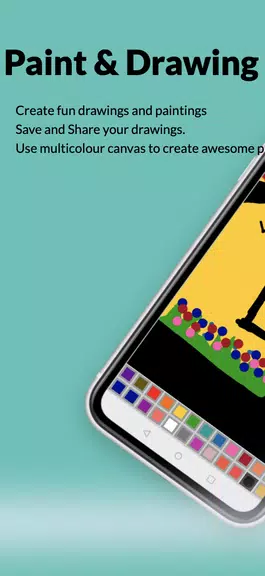
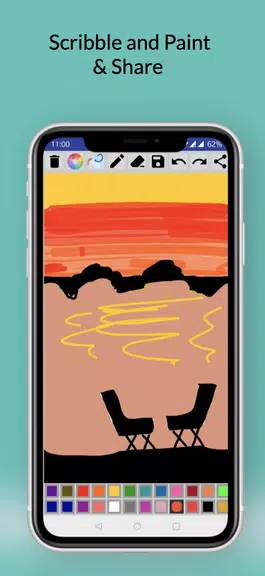
Paint And Drawing Fun is a lightweight Android painting app that delivers approachable digital sketching and coloring tools for casual creators and hobbyists. The app combines a straightforward interface with essential brushes, stickers, and color controls so users can quickly sketch, paint, and export artwork on phones and tablets.
Paint And Drawing Fun installs a compact toolkit designed for mobile creativity. It includes multiple brush types (pencil, marker, airbrush), an eraser with edge smoothing, a customizable color picker, and a palette manager. Users can import photos to trace or paint over, use preloaded stickers and stamps, and apply symmetry and fill tools for faster results.
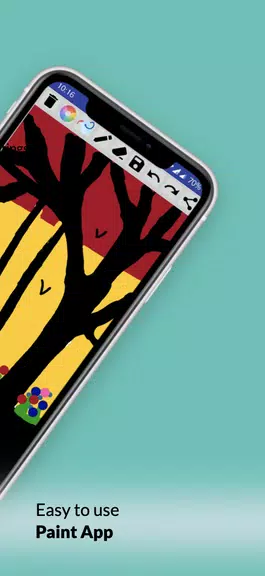
The interface focuses on clarity: a collapsible toolbar keeps the canvas unobstructed while commonly used controls sit within thumb reach. Brushes display live previews, sliders adjust size and opacity, and a simple undo/redo history lets you step back through edits. Paint And Drawing Fun supports both portrait and landscape orientations and adapts to larger tablet screens with minimal clutter.
Although not a full-featured desktop editor, the app offers a practical layer system for most mobile projects. Layers can be reordered, renamed, and toggled on or off, enabling non-destructive edits and easier color separations. Blending modes include multiply and overlay, while opacity sliders let you fine-tune translucency per layer.
Brushes are highly tweakable in Paint And Drawing Fun. Users can set hardness, scatter, spacing, and texture to achieve pencil-like strokes or smooth digital paints. Custom brushes can be saved into a personal library, and prebuilt brush packs provide starting points for different art styles. Color settings include HSL, RGB input, and an eyedropper for sampling colors from the canvas or imported images.
The app supports common export formats (PNG and JPEG) with adjustable resolution and background transparency for PNGs. Projects save to an app-specific folder or internal storage and can be exported to cloud services or social media directly from the share menu. For users who prefer to continue work in other editors, flattened exports keep file sizes small while layered exports preserve editability when supported.
Paint And Drawing Fun is optimized for mid-range Android devices and performs smoothly on most modern phones without heavy battery drain. It supports stylus input and palm rejection on compatible devices, improving precision for sketching and detail work. Memory usage scales with canvas size and number of layers, so reducing resolution can prevent slowdowns on older hardware.
The app is well-suited for quick character sketches, coloring pages, concept thumbnails, and simple digital paintings. Teachers and students can use it for classroom exercises or homework illustrations, while hobbyists will appreciate the sticker library and stamp tools for playful creations. The minimal learning curve makes it easy to pick up and produce shareable art within minutes.
After installing Paint And Drawing Fun, tap New Project, choose a canvas size, and select a brush to begin. Spend a few minutes exploring the toolbar and layer panel to customize your workspace. The app includes simple tutorials and sample templates to guide first-time users through basic techniques like layering, coloring, and exporting.
Paint And Drawing Fun keeps the focus on creativity without overwhelming users with professional-grade complexity. Its balance of useful features and approachable controls makes it a reliable option for casual artists and anyone who wants to sketch or color on Android devices quickly and enjoyably.