

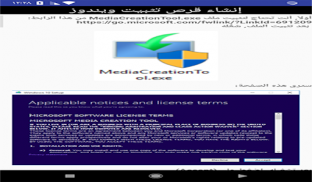
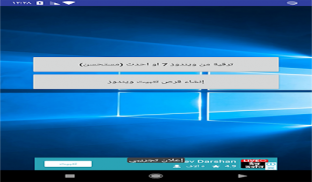



Windows 10 installation guide is a compact app designed to walk users through installing Windows 10 step by step, with clear checkpoints, automated prep tools, and concise troubleshooting. It targets beginners and intermediate users who want a reliable, safe process for creating installation media, adjusting BIOS/UEFI settings and performing clean or upgrade installs.
The Windows 10 installation guide focuses on turning a complex, technical process into an accessible, repeatable workflow. Rather than replacing official tools, it packages best practices, checklists, and interactive prompts that reduce human error. Whether preparing a single machine or several devices for deployment, the guide provides structure and safeguards.
The app collects utilities and instructions into a single interface so you don’t have to jump between websites or PDFs. It keeps tasks organized and highlights prerequisites to ensure a successful installation.
The app guides you through three phases: preparation, installation, and post-install setup. During preparation it prompts for backups, checks hardware compatibility, and walks you through creating bootable media. The installation phase outlines how to boot from USB, choose partitions, and avoid pitfalls with recovery partitions. Finally, the app lists post-install tasks like driver updates, privacy settings, and creating system restore points.
User flows are laid out as cards and lists that you can mark complete. The interface emphasizes clarity: large buttons for critical actions, expandable explanations for technical terms, and a search feature to quickly locate steps such as disabling fast startup or managing partitions. Screens are optimized for phones and tablets so technicians can consult the guide while working on a PC.
The Windows 10 installation guide is lightweight and offline-capable for core instructions, allowing access in workshop environments without internet access. Recommendations for checksums and verification protect against corrupted media. The guide also includes sanity checks that prompt users if the current configuration could result in data loss, helping reduce costly mistakes.
For IT professionals, the guide outlines repeatable workflows for imaging and deployment. For home users, it offers simplified paths with clear warnings and rollback suggestions. Templates and saved profiles let you record preferred settings—useful when reinstalling multiple systems with similar hardware.
Follow these practical suggestions to streamline the process and lower risk:
The app includes a curated list of common error messages and immediate next steps. If the built-in guidance isn’t enough, it points to authoritative resources and explains how to collect logs for deeper diagnosis. The troubleshooting section emphasizes safe recovery options that preserve user data whenever possible.
By consolidating installation knowledge into a single, navigable tool, the Windows 10 installation guide reduces stress and shortens setup time. It empowers less experienced users while offering advanced checklists for technicians. Clear warnings and verification steps make installations more predictable and recoverable.
Install the app, run the pre-install checklist, and follow the recommended sequence. Keep a separate backup device available, and consult the BIOS/UEFI instructions before rebooting into the installer. With the Windows 10 installation guide, the process becomes methodical rather than ad hoc, improving success rates for individual and batch installations alike.