


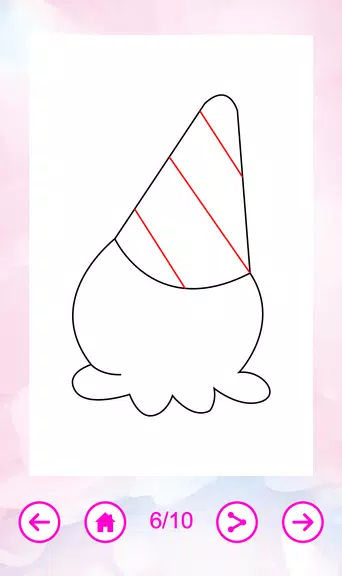

How To Draw Cute is a step-by-step drawing guide that teaches users to sketch adorable characters, animals, and objects using simple strokes. Designed for beginners, it breaks complex shapes into manageable steps, provides visual references, and helps build confidence through practice exercises and clear, friendly instructions.
How To Draw Cute focuses on teaching the fundamentals of creating charming, stylized drawings. Rather than relying on advanced tools, the app emphasizes observation, proportion, and playful line work. Lessons cover faces, poses, accessories, and themed illustrations so users can quickly produce polished results.
Tutorials begin by simplifying a subject into base shapes — circles, ovals, and simple curves. Users add limbs, facial features, and details over successive steps, learning to map visual elements into a cohesive figure. Each tutorial highlights where beginners commonly make mistakes and offers corrective tips so users can avoid common pitfalls.
The interface is intentionally minimal to keep focus on drawing fundamentals. A clean canvas area, a step navigator, and a compact toolbar deliver the essentials without clutter. The in-app tools include adjustable stroke guides, an eraser, and a color picker for adding shading or patterns once the line work is complete.
How To Draw Cute allows users to adjust line thickness and toggle a faint grid to aid placement and proportion. Themes and background colors can be changed to match personal taste. For users who prefer tracing, a semi-transparent overlay mode makes it easy to learn shape flow before moving to freehand sketching.
The app is suitable for absolute beginners and hobbyists who want steady improvement. Early lessons build confidence by showing quick wins — simple characters that look complete after a few steps. As users advance, tutorials introduce minor complexities like foreshortening, layered hair, and accessory placement to create more dynamic drawings.
Performance is lightweight; the app runs smoothly on low to mid-range devices without significant lag. The navigation is straightforward and supports quick lesson selection. Occasional ads may appear for free users, but premium options remove interruptions and unlock additional content.
Many users appreciate the focused approach of How To Draw Cute: lessons are short, achievable, and produce visually pleasing results. The app encourages daily practice with bite-sized tasks and rewards progress through visible improvement. Community sharing features let learners showcase development and gather constructive feedback.
Installation is quick and follows standard app store procedures. After launching, new users are guided through a short orientation that demonstrates the step navigator and toolbar. From there, users can dive into beginner lessons, bookmark favorites, and customize drawing settings to match their workflow.
Whether you want to sketch adorable avatars for social posts, craft printable stickers, or simply develop a relaxing hobby, How To Draw Cute organizes practice into approachable lessons. With consistent use, newcomers can progress from simple doodles to confident character drawings in a matter of weeks.