
Tahkeem is a comprehensive Android utility that combines performance tuning, privacy controls, and routine maintenance into a single app. Designed to streamline device care, Tahkeem offers one-touch cleans, battery optimization, secure file management and automated tasks to keep phones running smoothly without demanding technical expertise.
Tahkeem groups essential system utilities into a compact toolkit so you can manage daily maintenance from one place. The core functions include:
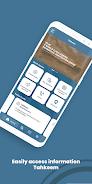
The interface in Tahkeem focuses on clarity and speed. A dashboard summarizes device health with actionable suggestions while individual tool screens use concise controls and toggles. Visual charts show storage and battery trends so you can spot issues at a glance. Navigation is built around gestures and minimal menus to reduce friction when performing routine tasks.
Tahkeem is useful in multiple everyday situations. If your phone becomes sluggish after installing many apps, the system cleaner recovers space quickly. When travel or long meetings demand extended battery life, the battery manager automatically applies a low-power profile. For people who handle confidential files, the secure vault and file shredder protect information from unauthorized access. Automations save time by performing these actions without manual input.
Designed to run on a broad range of Android devices, Tahkeem prioritizes a light memory and CPU footprint while offering powerful routines. Background services are minimized and scheduled tasks are batched to reduce wakeups. The app supports modern Android versions and adapts permissions to comply with system privacy rules, which helps maintain smooth performance even on mid-range hardware.
Begin by granting the recommended permissions so the app can access storage statistics and battery usage data. Run the initial health check to receive a prioritized action list. From there, configure automatic cleanups and enable the vault for files you want to protect. Regularly review the suggestions on the dashboard and adjust automation schedules to match your daily rhythm.
Tahkeem gives you control over how aggressive each maintenance action should be. You can whitelist apps from scans, select safe thresholds for cleaning cache, and choose backup intervals. Themes and compact display modes allow users to personalize the look and preserve battery when using dark backgrounds. Advanced settings expose detailed logs and task histories for users who want granular oversight.
Tahkeem balances straightforward tools with deeper customization, offering both one-tap fixes and tailored routines so users maintain control and keep devices responsive. Regular use of these features helps extend battery life, reclaim storage, and protect personal data with minimal effort.