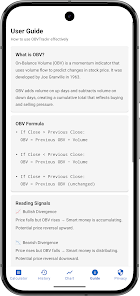
OBVTrackr is a lightweight fleet and vehicle management app built for Android, combining GPS tracking, OBD-II diagnostics, and maintenance scheduling into a single dashboard. It helps drivers and small fleets monitor trips, fuel use, and fault codes with clear charts and automated alerts tailored to practical, everyday vehicle care.
Designed with a focus on usability, OBVTrackr brings together real-time location data, engine diagnostics, and service reminders. It is aimed at owner-operators, delivery teams, and small businesses that need an affordable tool to reduce downtime, manage compliance, and improve fuel efficiency without complex setup or heavy subscription fees.
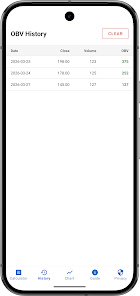
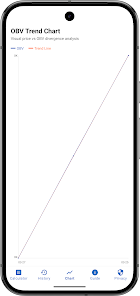
After pairing an OBD-II adapter and granting location permissions, OBVTrackr starts collecting telemetry and mapping trips. The app aggregates sensor inputs to produce readable graphs so you can spot irregular fuel usage or identify a recurring engine fault. A timeline view lets users scan events by date and quickly export data for reporting.
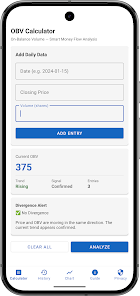
The UI keeps essential controls within thumb reach: a compact dashboard displays current speed, engine status, and next maintenance milestone. Performance is optimized for low battery impact; background GPS logging can be toggled to balance precision with power consumption. Animations are minimal, prioritizing responsiveness on older devices.
OBVTrackr allows granular configuration. Configure geofences for delivery zones, adjust alert thresholds for fuel or coolant temperature, and choose data export formats (CSV or PDF). Teams can create vehicle profiles with odometer baselines so historical records remain consistent when drivers switch vehicles.
For a one-vehicle operator, use OBVTrackr to log trips for tax deductions, set an oil-change reminder at 5,000 miles, and monitor an intermittent check-engine light. For a small fleet, assign vehicles to drivers, review overnight routes, and generate weekly fuel-efficiency reports to guide routing improvements.
Field testing highlights the app’s straightforward setup and dependable data capture. Error messages are prescriptive and suggest next steps, such as checking adapter placement or restarting the vehicle’s ignition cycle. Sync times are fast on modern networks, and local caching preserves recent logs if connectivity drops mid-trip.
OBVTrackr is practical for solo contractors who need accurate mileage logs, fleet managers who want a no-frills monitoring tool, and drivers who prefer actionable diagnostics over raw data. It bridges the gap between consumer GPS apps and enterprise telematics by focusing on core features users actually apply each day.
Download and grant the necessary permissions, then pair the OBD-II adapter following the in-app guide. OBVTrackr prompts for a vehicle nickname and baseline odometer reading. From there, run a short test drive to confirm mapping and diagnostics are captured correctly.
The app strikes a balance between depth and simplicity: it gives actionable vehicle insight without overwhelming menus. If you manage a handful of vehicles or want smarter maintenance reminders, OBVTrackr is worth evaluating as part of your workflow.