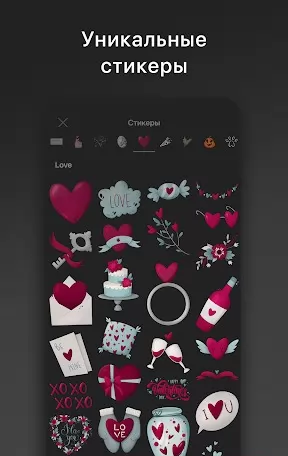
If you're the kind of user who likes to turn scattered photos into polished stories on your phone, Graphionica brings simple tools and creative assets together. This mobile photo editor focuses on building attractive Instagram stories, feed posts and quick social graphics by combining templates, text, stickers and layered art. The interface keeps common actions within reach while still offering depth: remove backgrounds to craft custom stickers, drop PNG drawings over layouts, or stitch photos and short clips into a single collage.
Importing media: Open images or short video clips from your gallery, or start from one of the app's editable templates to avoid designing from scratch.
Working with templates: Choose a story or post template, swap in your photos, adjust layer order and replace placeholder text to match your message.
Creating stickers and backgrounds: Use the background removal tool to turn subjects into stickers and place them on textured or solid backgrounds; this is handy for making unique overlays or highlight graphics.
Two everyday scenarios: Edit a birthday story while waiting for a coffee order, or assemble a simple promotional collage for a weekend sale during a short break at your desk — both typical ways to use Graphionica when you need polished results fast.
Editable templates: Start projects with ready-made story and feed layouts, then customize colors, stickers and text to match your visual identity.
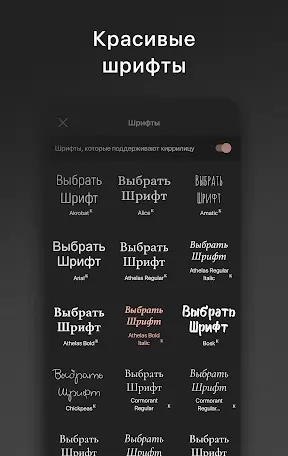
Fonts and lettering: Apply a wide selection of fonts and pre-made lettering stickers, including options that support Cyrillic; subscribe to premium to unlock the full library.
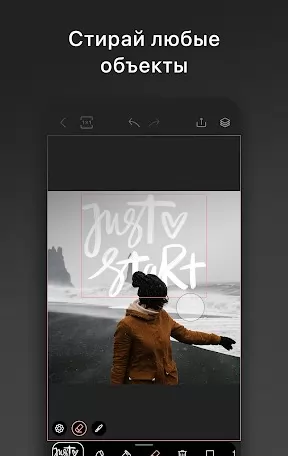
Layered editing and PNG support: Add drawings, calligraphy or exported PNG inscriptions as separate layers, then move, duplicate or mirror them for flexible compositions.
Video and photo collages: Combine several photos and short videos into a single layout so your stories can show motion and stills together without switching apps.
Background removal: Cut out subjects to create stickers or isolate elements for clean layouts; this helps when you want to place a person or product on a custom backdrop.
Undo history: Roll back changes with a multi-step history (up to 50 actions), so you can experiment without losing earlier versions of your composition.
Graphionica is a strong choice if you create regular social posts and want more creative control than basic editors provide; try the free tools first and consider premium if you need the full font and sticker set.