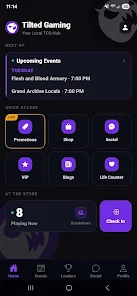
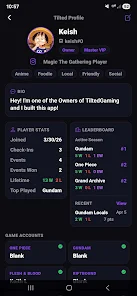
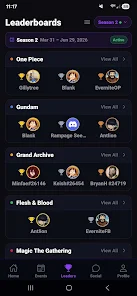
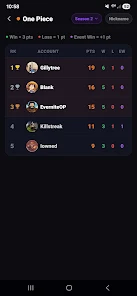
Tilted Gaming Hub brings together game discovery, management, and community tools into a single Android app. It organizes installed titles, highlights new releases, and offers quick access to updates, events, and controller settings. The interface is designed for fast navigation so players can spend less time configuring and more time playing.
Tilted Gaming Hub acts as a central dashboard for mobile players who want to keep their library tidy, discover new games, and join community activities. The app indexes installed APKs, surfaces recommendations based on play habits, and consolidates notifications from supported titles. It also provides quick links to leaderboards, patch notes, and scheduled tournaments so users don’t miss important moments.
The app focuses on minimal taps and clear visual cues. A customizable home screen gives priority tiles for your most-played games, upcoming events, and recent patches. Deep linking sends you directly to in-game settings or community threads without jumping through multiple menus. Context-aware suggestions appear when a new update requires action, such as clearing cache or reapplying custom controls.
Users can tailor Tilted Gaming Hub to match their routine. Themes include a dark mode optimized for AMOLED screens and a high-contrast option for visibility. Per-game profiles allow you to store custom control maps, graphic presets, and streaming overlays. The app also supports custom widgets for the Android home screen so essential controls are always at hand.
Designed to run smoothly across a wide range of Android devices, Tilted Gaming Hub detects device capabilities and suggests appropriate settings. It keeps background activity low to reduce battery drain while offering diagnostics to benchmark CPU and GPU load. Compatibility lists and APK metadata help you confirm which game builds are recommended for your hardware before installing mods or patches.
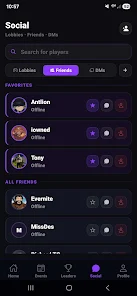
Beyond tools, Tilted Gaming Hub promotes community interaction with built-in chat channels, event calendars, and tournament registration. Players can follow creators, join guild-style groups, and receive alerts for friend activity. Event organizers can publish brackets, rules, and prize details directly inside the app, streamlining sign-ups and results tracking.
Privacy and app integrity are prioritized. The hub requests only the necessary permissions to manage games and backups and offers clear controls for data sharing. Automatic update checks notify users of new hub versions and recommended game patches. Backup encryption and optional two-factor authentication help protect account details and cloud saves.
Begin by granting the minimal permissions the app requests and letting the scanner catalog installed games. Create profiles for your favorite titles and experiment with one of the preset performance modes to match your device. Use the tutorial overlay to learn controller mapping and widget creation, then explore community channels to discover events and join conversation threads.
For players who want a single app to organize their mobile gaming life, Tilted Gaming Hub combines practical utilities with community features. It streamlines common tasks—updating, optimizing, and connecting—so users can focus on gameplay. Regular updates expand compatibility and introduce new integrations according to player feedback, keeping the hub responsive to evolving mobile environments.