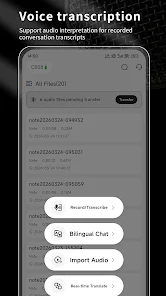
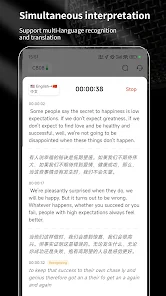
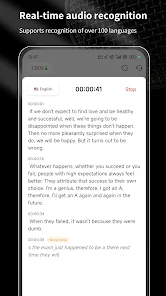
SoniNote is a focused audio note-taking app that captures voice, transcribes speech, and organizes recordings with smart tags and timestamps for quick retrieval. It syncs across devices, supports manual editing, and provides searchable transcripts to turn spoken ideas into structured notes for meetings, interviews, and lectures.
Designed for professionals, students, and journalists, this app streamlines the process of turning audio into usable content. SoniNote balances automated features with manual controls so users retain accuracy and context when converting conversations into written records. The layout emphasizes speed: capture quickly, edit where needed, and export in common formats.
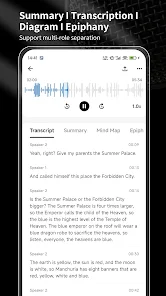
The workflow is straightforward: start a new recording, let the app transcribe in real time or later, then review and refine. SoniNote timestamps phrases automatically so you can jump to the exact moment in the audio when editing or fact-checking. Inline editing adjusts the transcript while preserving an unedited original for reference.
Beyond basic capture and transcription, SoniNote includes several utilities that enhance productivity. Bulk actions let you tag multiple recordings quickly. A search bar supports keyword, date range, and tag-based queries. There’s also a quick-note overlay for jotting brief reminders without creating a full audio recording.
Customize how the app behaves to suit your workflow. Choose transcription languages, toggle automatic punctuation, and set recording quality to conserve storage or maximize fidelity. Themes and layout adjustments help you focus: compact modes show more notes per screen while a distraction-free mode highlights a single transcript for deep review.
The interface prioritizes clarity. Controls are placed for one-handed operation on phones, while tablets take advantage of extra space with a split view showing the transcript and waveform simultaneously. Performance is optimized for minimal battery drain during recording, and the app caches transcripts so searches remain swift even on older devices.
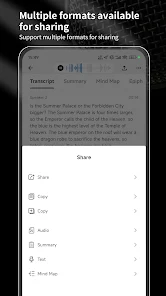
For sensitive conversations, SoniNote offers local-only options so audio and transcripts never leave your device. Cloud sync can be enabled for backups and cross-device access, with end-to-end encryption available in premium tiers. Exported files can be password protected before sharing.
People who rely on accurate, searchable records gain the most: reporters, students, researchers, and executives. SoniNote reduces the time spent on manual note-taking and accelerates the process of producing written summaries or quotes from long recordings. Its organizational features scale from single users to small teams.
Installation is quick: download the APK, grant microphone and storage permissions, and run a short guided setup that helps you configure transcription language and storage preferences. A built-in tutorial walks through recording, tagging, and exporting so you can be productive within minutes.
Continuous updates refine transcription models and add integrations with calendar and cloud services. Whether you need a reliable meeting recorder or a tool to turn interviews into publishable text, SoniNote delivers a balanced mix of automation and manual control to support real-world workflows.