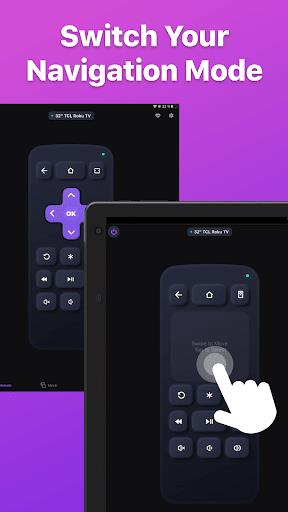
TV Remote gives you fast and reliable control of your television from your phone, replacing a clutter of physical remotes with a single on-screen interface that puts channels, modes and settings within easy reach. From voice search to a compact keyboard and support for multiple paired phones, TV Remote is designed to shorten the steps between you and what you want to watch while keeping the interface simple and approachable for everyday use.
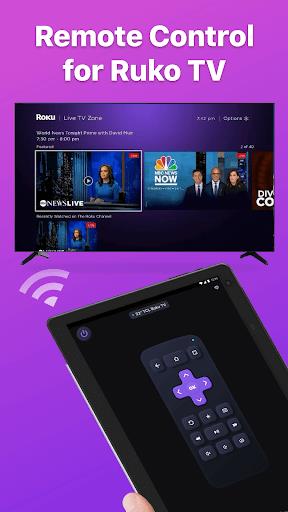
The app presents familiar remote controls so basic commands like channel up and down, volume, mute and input switching are one tap away. Beyond the primary buttons, TV Remote includes a built-in search experience so you can speak or type to find shows, channels and broadcasts without navigating menus manually. The compact keyboard is optimized for quick text entry when logging into services or searching program guides, while voice recognition offers a hands-free alternative for faster searches and navigation.
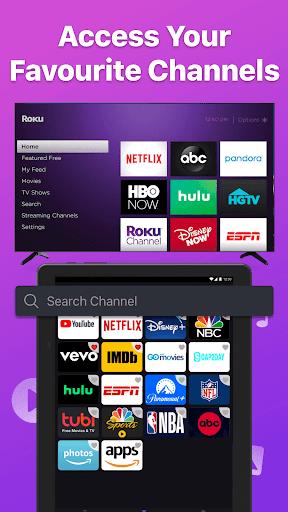
TV Remote also makes it easy to launch live broadcasts and specific channels directly from the app, turning program discovery into a one-step action. Multiple short‑cut positions allow users to store favorite channels and inputs, and the recent activity view surfaces shows and channels you accessed most often to reduce repeated searching. The app adapts to different TV interfaces by organizing commands into clear groups so modes, settings and picture options are straightforward to find.
Customizable layouts allow you to emphasize the controls you use most: re-order buttons, create a favorites row for instant access to channels, and save device profiles so switching between family members or room setups is quick. Themes and size options help you tune the visual contrast and button scale to match your phone or seating distance. These personalization choices increase day-to-day convenience and make the remote feel tailored to how you watch.
Profiles are lightweight and stored locally on your device so you can create alternate button sets for kids, guests or different TV models without needing online accounts. Shortcuts and macros let you combine common actions, for example a single tap to switch input and open a streaming app, saving a few steps when you want to jump straight into a program.
The visual style favors clear iconography and minimal clutter so essential commands remain visible even on smaller screens. Large, high-contrast buttons and adjustable text sizes improve readability. For accessibility, the interface supports typical platform assistive features and keeps navigation linear so screen readers and switch controls can be used without additional configuration.
TV Remote focuses on predictable behavior and responsiveness. Controls respond promptly to taps, and state feedback informs you when a command has been sent or when a paired TV does not respond. Because the app is intended for everyday living room use, attention has been paid to reducing unnecessary confirmations and streamlining common flows like channel surfing, volume control and returning to the home input.
Getting started is guided: the app walks you through locating your TV on the local network, pairing a device profile and confirming core commands. Connecting additional phones follows the same pairing steps so multiple household members can control the same set from separate devices. The app supports a range of modern TV brands such as Samsung, Sony and LG and offers clear troubleshooting guidance for TVs with model-specific differences.
Because TV ecosystems vary, a small number of older or obscure models may have limited functionality. Exact available commands and advanced modes can differ by manufacturer and firmware version, so if a particular button does not appear for your TV model, the app will fall back to core channel and volume controls. Pairing and configuration are designed to be simple, but initial setup can take a few minutes for each device depending on network conditions and TV model.
TV Remote aims to be a dependable, everyday replacement for physical remotes by combining quick access to channels and broadcasts with personalization, accessibility and straightforward setup. Regular use should reduce the time spent navigating menus and make couch-side control more comfortable and intuitive for everyone in the household.