
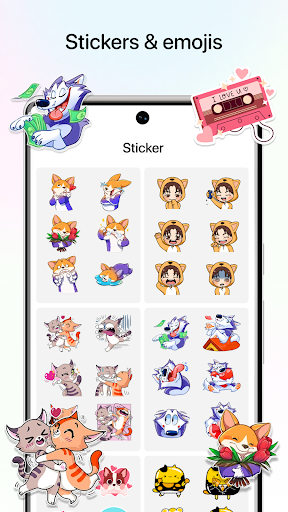
Messenger Theme is a lightweight Android app that personalizes your messaging interface with fresh color schemes, custom backgrounds, and icon packs. It lets users quickly apply cohesive visual styles across chat screens and notifications while keeping navigation intuitive and battery impact minimal—ideal for users who want a tailored look without complexity.
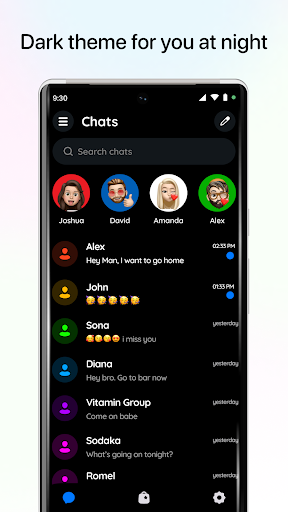
Messenger Theme focuses on changing the aesthetic of your default messaging environment. Rather than replacing your messaging app, it overlays themes that adjust chat bubbles, wallpapers, fonts, and accent colors. The app aims to make visual customization accessible for users who value a polished and consistent interface.
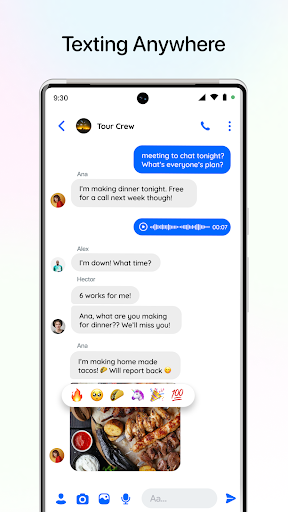
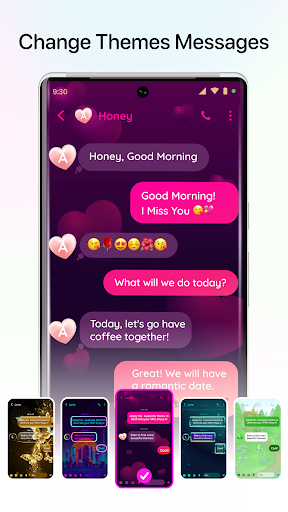
After installing Messenger Theme, the onboarding guides you through selecting an initial look. Tap a theme to preview it in a mock chat screen; if you like it, apply it system-wide. The app saves your choices so themes can be swapped instantly. Backgrounds, fonts, and bubble settings are adjusted without restarting the device, keeping the process seamless.
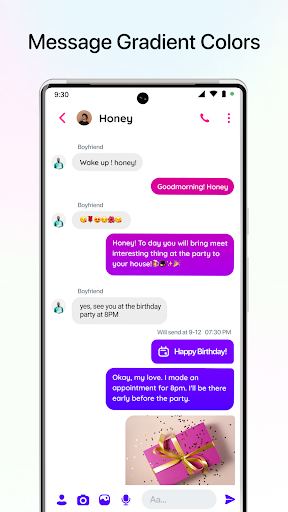
The customization panel breaks down visual elements into manageable categories. You can mix and match backgrounds with different bubble styles, pick accent colors for buttons, and fine-tune font sizes. Advanced users will appreciate manual controls for padding and transparency, while casual users can rely on the bundled presets.
Messenger Theme is designed with performance in mind. The interface uses a clean layout with large previews, making it easy to visualize changes. Resource usage is low; themes are lightweight assets that don’t significantly affect memory or battery. Animations are subtle, focusing attention on previews rather than flashy transitions.
Accessibility features include adjustable contrast for readable text and scalable font sizes. The app respects system-level accessibility settings and offers an easy-to-navigate structure for users who prefer simpler interactions. Tooltips and short descriptions accompany each option to reduce trial-and-error.
People gravitate toward Messenger Theme because it provides fast personalization without replacing the messaging app they already use. The balance between ready-made skins and granular controls appeals to both casual users and those who want to craft a specific visual identity for their conversations.
Compatibility covers a wide range of Android versions and devices. Installation is straightforward: download, grant the minimal permissions needed for wallpaper and notification previews, then choose a theme. A clear walkthrough helps first-time users enable overlay permissions if required.
Keep themes fresh by checking the theme library for seasonal packs, and remove unused assets to conserve storage. If you encounter visual glitches after an OS update, reapplying your preferred theme usually resolves minor inconsistencies.
Messenger Theme delivers a focused way to personalize messaging visuals without overwhelming options. It balances aesthetics with practicality, making it a solid pick for anyone who wants their chat screens to reflect personal taste while maintaining clarity and performance. Try a few themes to find one that complements your daily workflow and device settings.