
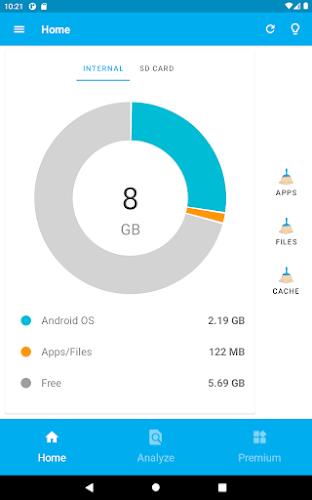
Storage Space helps you understand, organize, reclaim, and optimize the storage on your Android device using a quick visual scanner, duplicate finder, targeted cleaning actions, and background monitoring. It provides a clear breakdown of used space, safe deletion suggestions, and support for SD cards and cloud storage to keep your device responsive.
Storage Space combines several utilities into a single, easy-to-navigate interface so you can manage files without opening multiple apps. A deep scanner maps large files, media folders, and app caches into a visual chart. The duplicate detection engine locates redundant photos, videos, and documents. Built-in rules let you remove temporary files, clear residual app data, and trim download folders without risking important content.
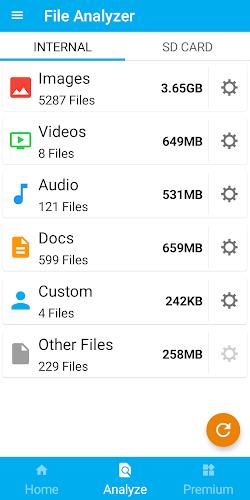
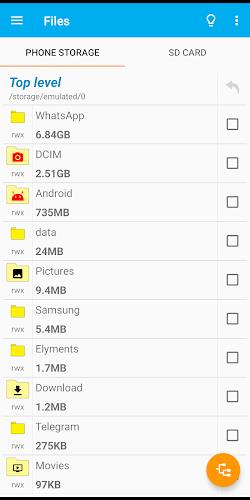
The app begins with a full filesystem scan that classifies items by type, size, and last access date. Results are presented as an interactive chart and list so you can zoom into categories like images, videos, downloads, and application data. Filters highlight files older than a chosen date or larger than a specified size, making it fast to find candidates for removal. Scans run incrementally to minimize battery and CPU use while keeping statistics up to date.
After scanning, Storage Space offers step-by-step cleanup suggestions and one-tap actions. You can preview files before deletion, move media to an SD card, or upload selected items to a linked cloud account. A secure wipe option overwrites freed space to prevent recovery of sensitive files. For power users, batch selection, categorial deletion, and customizable cleanup rules speed up repetitive maintenance tasks.
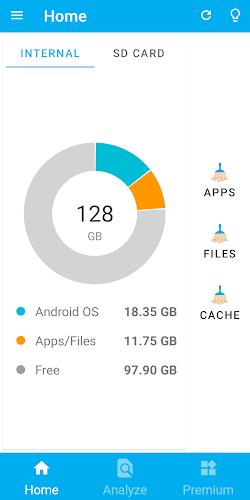
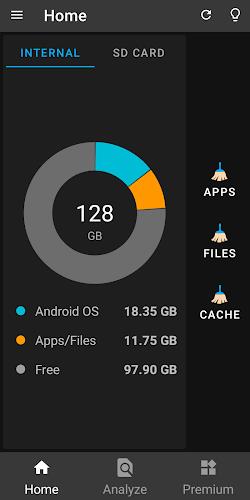
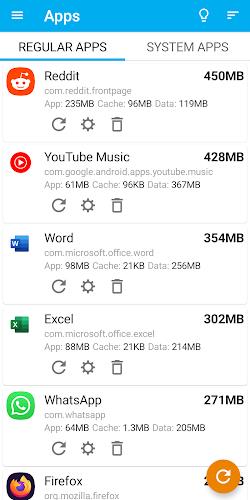
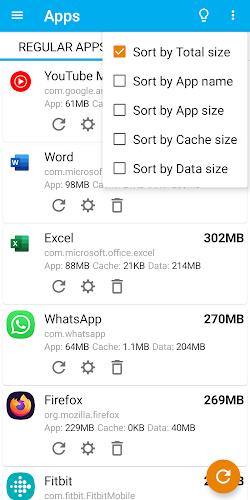
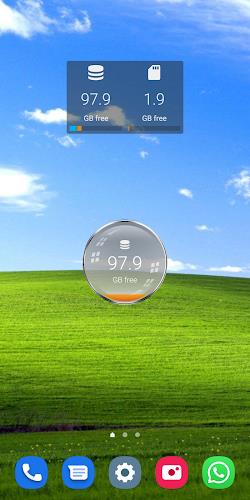
The interface focuses on clarity: a dashboard summarizes used and available space, while dedicated tabs provide access to large files, duplicate items, and apps consuming the most storage. Navigation is gesture-friendly and supports dark mode for evening use. Tooltips explain each action, and a context menu on each file offers open, share, move, or delete operations. The workflow encourages review before removal, reducing accidental deletions.
Storage Space is engineered to be lightweight and power conscious. Background scans are scheduled during idle periods and pause when the device is low on battery. The app requests only the permissions needed for file access and clearly explains why each permission is necessary. Compatibility extends across recent Android versions and commonly used hardware, with explicit handling for external SD cards and scoped storage introduced in newer Android releases.
To protect irreplaceable content, Storage Space integrates with popular cloud services so you can archive photos and videos before deletion. Built-in backup of app lists and settings makes it simple to restore your configuration after a reset. Exportable reports summarize storage trends over time, helping you identify patterns like recurring cache growth or large temporary downloads.
Install Storage Space, grant the requested access for file inspection, and run the initial scan. Review the dashboard to understand where storage is concentrated, then follow suggested cleanups or create custom rules tailored to your usage. Regular maintenance with short scans is faster and safer than sporadic deep cleans, and the app keeps a log so you can undo recent removals if needed.
With transparent controls, clear guidance, and practical automation, Storage Space helps you reclaim storage without guesswork, keeping your Android device running smoothly and making room for the apps and media you actually use.