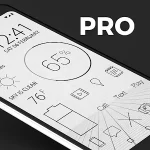





Depth Live Wallpaper transforms your Android home screen with layered 3D depth effects and smooth animations, offering responsive parallax, customizable scenes, and low battery usage. It brings subtle motion, color filters, and widget-friendly layouts so your device feels more dynamic without sacrificing performance or clarity.
Depth Live Wallpaper is a lightweight utility that replaces static backgrounds with interactive visuals that respond to touch and device orientation. Rather than just a decorative image, the wallpaper constructs multiple visual planes to create a sense of depth. The result is a modern, tactile feel that enhances daily use without distracting from apps or widgets.
Many wallpapers add motion, but Depth Live Wallpaper focuses on balance: high-quality effects combined with controls for battery and CPU usage. The engine supports GPU acceleration and frame rate tuning so you can decide between buttery-smooth animation or conservative power saving. It also integrates with icon packs and launcher margins to maintain a polished look across different home screen setups.
The app composes wallpapers from image layers and vector elements. When you move the phone or swipe across the screen, a small offset is applied to each layer based on its assigned depth value. This offset creates parallax motion that mimics looking through stacked sheets. Touch events temporarily alter the motion to draw focus, while smoothing algorithms keep transitions natural.
Depth Live Wallpaper is designed to fit into everyday routines. Profiles can be scheduled based on battery level or time of day, so you can have a vivid scene while at your desk and a minimal version overnight. The app also exposes an API for third-party launchers to respect safe areas and widget placements, reducing visual conflicts.
Customization is central. Users can import their own images, reorder layers, and change depth intensity. Built-in tools let you crop and mask images to avoid obscuring important UI elements. For quick tweaks, a single slider adjusts motion strength, while advanced settings allow per-layer speeds and independent color grading.
The developers prioritized efficiency. Depth Live Wallpaper offers adaptive frame rate and an option to pause animations when the device is idle. Background CPU usage is minimal thanks to optimized rendering pipelines and selective updates: only visible layers are redrawn. Real-world tests show conservative modes have negligible impact on battery life, while high-performance modes are reasonable on modern hardware.
Installation is straightforward. Launch the app, pick a preset or start from scratch, and tap Apply to set the wallpaper. Depth Live Wallpaper walks you through alignment and provides previews for home and lock screens. New users will appreciate the guided tutorial that explains layers, depth values, and performance toggles.
When configured properly, Depth Live Wallpaper brings subtle polish to the Android experience. The visual enhancements are customizable enough for enthusiasts, yet approachable for casual users. Because it blends visual fidelity with sensible performance options, the wallpaper can appeal to a wide range of devices and tastes. If you want a home screen that moves and reacts without becoming a distraction, Depth Live Wallpaper is worth a try.