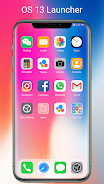
Colorful OS Launcher transforms your Android home screen with a polished, fast, and colorful interface. It replaces the default launcher with a customizable, performance-focused shell that emphasizes tidy organization, smooth animations, and practical widgets. The launcher aims to balance visual flair with productivity features for everyday use.
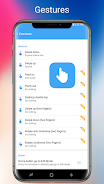
Colorful OS Launcher rethinks the standard Android workspace by combining attractive visuals with simple, dependable tools. You get an app drawer, gesture shortcuts, and a range of themes that keep icons and widgets readable. The design avoids clutter while offering enough options for users who like to tweak layouts and colors.
Performance is a priority in Colorful OS Launcher. Animations are smooth on mid-range hardware and transitions feel responsive on flagship devices. The interface emphasizes legibility: fonts and folder previews are sized to be clear at a glance. Background processes are minimal, keeping memory use low while preserving snappy interaction.
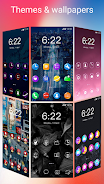
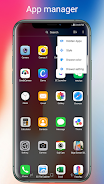
Colorful OS Launcher provides an accessible editor where you can change grid size, icon scale, and label visibility. Theme presets make it easy to switch moods, while a color engine lets you pick accent tones for quick personalization. Advanced users can adjust icon shapes and spacing to create compact or airy layouts.
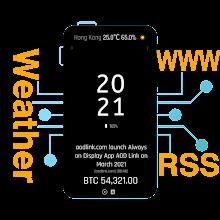
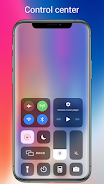
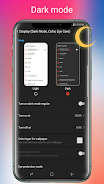
The built-in widget collection covers essentials: clock and weather widgets, quick toggles, and a search bar. Widgets are resizable and support both light and dark backgrounds. A notification preview panel integrates with the launcher so you can glance at incoming messages without opening each app, improving workflow for busy users.
For users who rely on a predictable environment, Colorful OS Launcher helps streamline routines. Set a morning page with calendar and weather widgets, then a work page with email and task shortcuts. The launcher makes it straightforward to switch contexts without hunting through menus.
Installing Colorful OS Launcher is straightforward: download, set it as your default launcher, and import or build your home screens. It works across a wide range of Android versions and adapts to different screen sizes. Permissions are limited to what is necessary for customization and notification previews.
Users often highlight the balance between aesthetics and function as a strength. Occasional updates introduce new themes and bug fixes, while a lightweight footprint helps on lower-end devices. If you depend on specific gestures or third-party widgets, test them early to confirm compatibility.
Colorful OS Launcher is a strong choice for people who want a vibrant, efficient home screen experience without a steep learning curve. With sensible defaults and deep styling options, it suits both casual tinkerers and productivity-focused users looking to reduce friction on their daily device interactions.