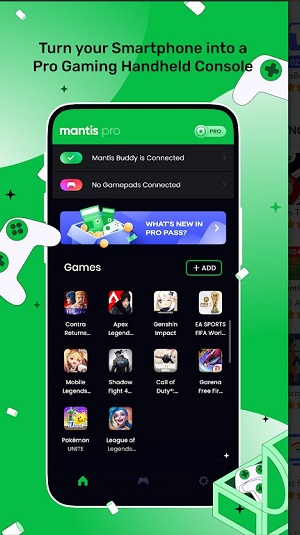
Mantis Gamepad Pro Beta is a lightweight Android utility that turns your phone or tablet into a fully configurable game controller. Designed for mobile and PC gamers, it provides button mapping, profile management, and low-latency connections to improve control across emulators and cloud gaming services.
Mantis Gamepad Pro Beta focuses on bridging the gap between touchscreens and physical controls. It offers a way to map on-screen inputs to virtual buttons, emulate analog sticks, and create multiple profiles for different titles. The emphasis is on responsiveness and flexibility so players can tailor inputs for racing, shooters, platformers, or remote-play sessions.
After installing Mantis Gamepad Pro Beta, you create a profile and overlay a control layout on top of the running game or emulator. Controls can be resized, moved and rotated to match the game UI. The app translates touch events into gamepad signals, which are then sent to the target device or app. Profiles can include button remaps and sensitivity settings that persist per game.
The interface is organized around a main editor where you place controls on a transparent canvas. Sliders let you fine-tune dead zones and axis curves without leaving the screen. Performance is tuned for minimal CPU usage so the mapping layer does not introduce stutter during gameplay. Battery use is modest, and the app includes options to limit background activity when not in active use.
Power users will appreciate features that let them create layered inputs and conditional mappings. For example, a single touch region can output different signals depending on whether it’s tapped or held. Sensitivity curves can be adjusted to favor precision or quick movement. Profiles can be exported and shared, which speeds setup across multiple devices or friends.
Mantis Gamepad Pro Beta is intended to integrate with a wide range of apps and emulators. It can be used locally on the same device to overlay controls for mobile games or paired with a PC for cloud gaming sessions. The app is especially useful for streamers and gamers who switch genres often and need quick reconfiguration between matches.
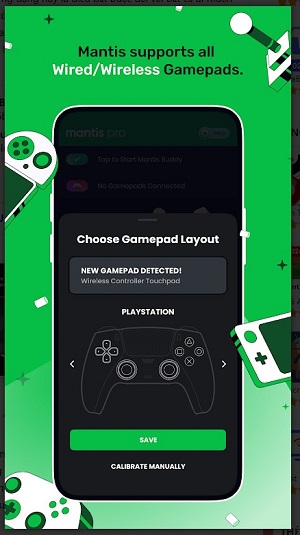
Installation follows a standard Android app flow: grant overlay permissions, open the editor, create a profile, and position controls. The onboarding includes short walkthroughs for mapping buttons and calibrating sticks. If pairing with external hardware or a PC, follow the provided connection wizard to establish a reliable link.
Mantis Gamepad Pro Beta appeals to users who want precision control without buying physical accessories. Its editable layouts, low-latency design, and exportable profiles are practical strengths. Whether you’re fine-tuning input for a touchscreen shooter or setting up a controller layer for a handheld emulator, the app provides a flexible, developer-friendly toolset.
With continued updates in the beta channel, Mantis Gamepad Pro Beta remains a promising option for players who demand customizable input and consistent performance across a variety of gaming contexts.