
MaxNote is a versatile note-taking app designed to capture ideas, organize tasks, and sync content across devices. It combines rich-text editing, quick voice memos, and powerful search in a lightweight interface. Built for productivity, MaxNote adapts to personal workflows while keeping notes accessible and secure.
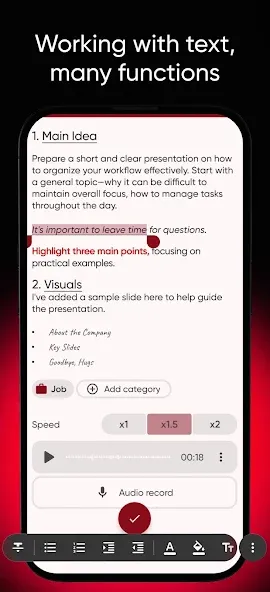
MaxNote offers a full set of tools for modern note-taking: rich text formatting, inline images and attachments, voice recording, and handwriting support. Notes can include checklists, tables, and code blocks. Built-in templates speed up repetitive entries, while custom templates let you shape the app to match meeting notes, journals, or project plans.
The interface focuses on clarity and speed. A split-screen layout shows note lists and content simultaneously, making it easy to scan and edit. Keyboard shortcuts and gestures are supported for power users, while a guided onboarding helps new users set up notebooks and tags. The layout is consistent across phones and tablets so switching devices doesn’t disrupt your workflow.
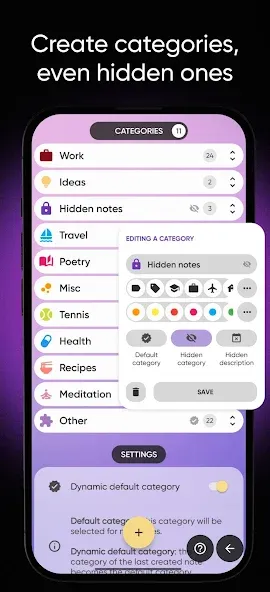
Organization in MaxNote is flexible: use notebooks, nested folders, tags, and color labels to structure information. Each note can have multiple tags, allowing cross-referencing between projects. The search engine indexes text, attachments, and transcribed audio so you can find the exact phrase, date, or file you need. Advanced filters let you narrow results by tag, modification date, or attachment type.
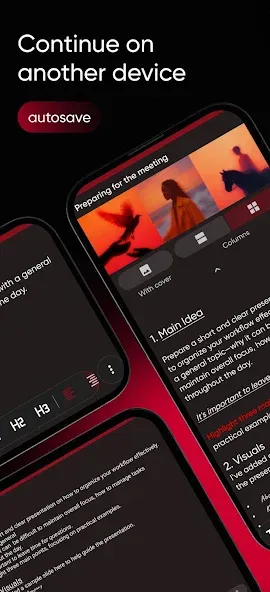
Automatic cloud sync keeps notes updated across devices without manual exports. Offline access ensures your notes remain available even without an internet connection; changes sync when connectivity is restored. Selective sync lets you choose which notebooks are stored locally to save space while keeping critical notes at hand.
MaxNote prioritizes privacy with optional end-to-end encryption for individual notebooks and biometric or passcode lock for the app. Local backups and encrypted exports give you control over your data. Permission controls and audit options allow users to manage sharing on a per-note basis, whether collaborating on a project or sending a single recipe to a friend.
Lightweight under the hood, MaxNote is optimized to handle thousands of notes without lag. Fast indexing keeps search results immediate, and thumbnail previews reduce load time when browsing large notebooks. The app supports Android versions commonly used today and adapts to a range of screen sizes, from compact phones to large tablets.
Seamless integration with calendars, task managers, and cloud storage services allows MaxNote to sit within your existing productivity stack. Export options include PDF, Markdown, and plain text. If you need to move to another service, bulk export tools and a clear import format make the transition straightforward.
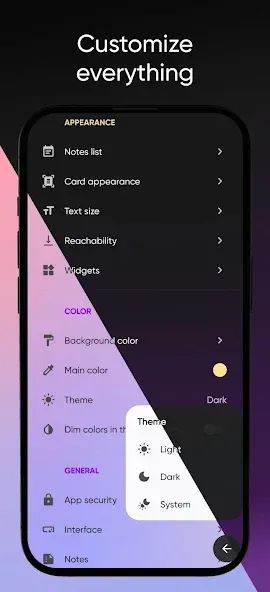
Personalize the visual theme, font size, and note density to match your reading preferences. Dark mode and high-contrast themes improve readability in low light. Accessibility features include text-to-speech for notes and adjustable gesture controls for easier navigation.
Getting comfortable with MaxNote takes a little time, but the combination of fast capture, powerful search, and flexible organization makes it a strong choice for anyone looking to consolidate scattered information. Whether you need a simple daily journal or a robust system for projects and research, MaxNote provides the tools to keep ideas organized and accessible.