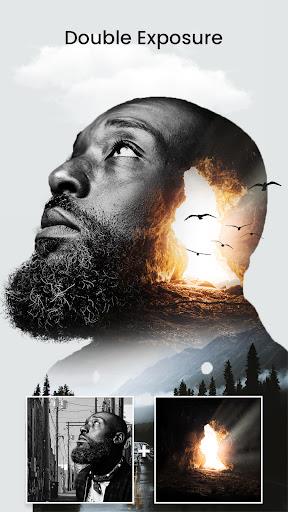
Blend Me is a lightweight photo editing app that makes double exposures, overlays, and precise masking easy on Android. Designed for hobbyists and social creators, it combines layer blending modes, opacity controls, and quick presets to help you produce professional-looking composites without steep learning curves.
At its core, Blend Me focuses on combining two or more images into a single, cohesive picture. The interface keeps common tasks accessible: import photos from your gallery, align layers, pick a blend mode and fine-tune transparency. The app targets fast results for social sharing while still offering controls that let you refine details for a polished finish.
Using Blend Me is straightforward: select a base photo, add overlays, tweak blend modes and refine the mask with a few brush strokes. Tools are grouped logically so beginners won’t get lost, while power users can lock layers, adjust brightness/contrast for individual layers, and use edge-smoothing to make transitions seamless.
The app packs practical adjustments suited to compositing. You’ll find sliders for exposure, contrast, saturation and temperature per layer, plus a curve editor for more precise color control. A soft-edge brush and feathering options simplify removing hard seams between images.
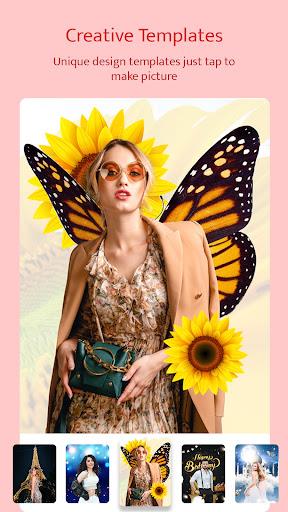
Blend Me offers a balance between ready-made effects and fine-grain control. Templates provide fast starting points; customizing a preset takes seconds. For those who prefer manual editing, masks can be saved and reused across projects, and blending presets are editable so you can build a signature style.
The interface is designed for phones and tablets: large touch targets, straightforward icons and a non-destructive history stack so you can undo steps. Performance is optimized for mid-range devices; common operations are smooth and previews render in real-time. Larger exports may take longer but include a progress indicator to avoid uncertainty.
Blend Me is useful for content creators, hobby photographers, and anyone who enjoys experimenting with image composites. It’s approachable for newcomers yet contains enough deeper options to stay relevant as your skills grow. Because the toolset concentrates on the essentials of compositing, it avoids overwhelming users with features they won’t need.
Installation is the usual APK process: download, grant storage permissions, and open the app to import your first photo. A short in-app tutorial walks through a basic blend in under a minute, and sample projects demonstrate what’s possible straight away.
For everyday edits and social posts, Blend Me speeds up the creative loop without sacrificing control over finer details. With a mixture of quick presets and manual tools it sits comfortably between simple selfie filters and heavyweight desktop editors—making it an efficient choice for producing eye-catching composites on the go.