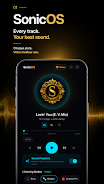
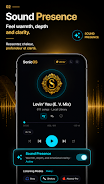
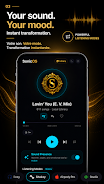
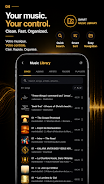

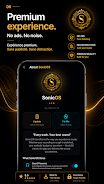




SonicOS is a lightweight Android system utility that reorganizes device workflows, boosts responsiveness, and brings a modular control center to your phone. It merges performance monitoring, gesture shortcuts, and visual themes into a single interface, making everyday tasks quicker and giving power users finer control without complex setup.
SonicOS positions itself as a multitool for users who want more from Android without rooting. The app clusters frequently used controls—network toggles, CPU and memory stats, quick app launchers—into one accessible panel. Rather than replacing the home screen, it overlays context-aware tools you can summon with a gesture or shortcut.
The SonicOS layout favors clarity over clutter. Controls are grouped logically, and animations are subtle so the tool never feels distracting. Menus use clear labels and progressively disclose advanced options, which helps new users get started while still offering depth for enthusiasts. A compact settings page keeps personalization within reach, minimizing trial-and-error.
Designed to be resource-conscious, SonicOS aims to strike a balance between rich feedback and low overhead. Background watchers sample system metrics at configurable intervals to limit battery impact. On midrange devices the app maintains smooth interactions; power users can reduce sampling frequency or disable live charts to conserve resources further.
SonicOS supports deep personalization. Users can map gestures to custom actions, reorder control tiles, and import icon sets. Advanced users can create macro-like sequences combining settings changes and app launches. There’s an extension API for third-party modules, which enables integration with cloud backup tools or developer utilities without bloating the core app.
Installation is straightforward: grant the required accessibility and overlay permissions to let SonicOS present its panel over other apps. A guided first-run tour walks through basic gestures and key toggles. From there, the Settings area lets you tweak behavior, adjust sensitivity, and set notification preferences. Most users can be productive in minutes, while power users will appreciate the modular options.
Users who want faster access to settings, a lightweight performance monitor, and greater control over Android interactions will find SonicOS compelling. It’s tailored for those who prefer customization without altering system-level components. Developers and tech-savvy users can also leverage extension hooks to build targeted utilities.
SonicOS stands out by blending usability and capability: it doesn’t ask you to learn complex menus but still provides powerful tools when needed. Whether you’re streamlining daily routines or diagnosing a sluggish device, the app provides a compact, adaptable suite of controls that integrate neatly with modern Android workflows.