
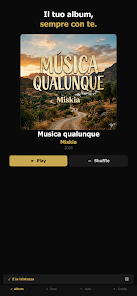
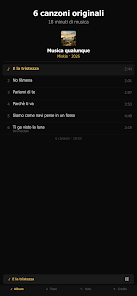
Miskia is a compact Android utility designed to streamline daily tasks and keep information organized. It blends a minimal interface with powerful tools for notes, reminders, and quick data capture. Ideal for users who want fast access to their essentials without clutter or a steep learning curve.
At its core, Miskia focuses on practical productivity: fast note-taking, lightweight reminders, and simple lists that sync locally or with cloud options. The app avoids unnecessary bells and whistles and concentrates on reliable performance. It targets users who prioritize speed and clarity over feature bloat, making it suitable for students, professionals, and anyone juggling multiple small tasks each day.
The workflow emphasizes three simple steps: capture, organize, and act. Tap to capture a note or reminder, add a tag or date, then place it in a list or pin it to the home view. Miskia keeps commonly used actions within one or two taps, reducing friction when you need to record ideas on the go. Synchronization is optional and unobtrusive, so you can keep everything local when privacy or storage is a concern.
Although lightweight, Miskia still gives you meaningful customization. Choose between a handful of themes for contrast and readability. Adjust the home layout to prioritize notes, tasks, or recent captures. Notification styles are configurable by channel, letting you turn off sounds for lower-priority reminders. For power users, there are options to set default tags and templates to speed up repetitive entries.
The interface is deliberately minimal: clean typography, clear iconography, and consistent spacing. This design choice enhances performance, with fast load times and responsive scrolling even on older devices. Animations are subtle and functional rather than decorative. The app keeps memory usage low and operates smoothly in the background when reminders are active.
Users report that Miskia feels intuitive from the first use, with a short learning curve and predictable behavior. The app favors clarity: actions are labeled, undo is available for many tasks, and the search field is always accessible. If you migrate from a heavier note app, you’ll notice the difference in speed and simplicity.
Advanced users can combine templates and default tags to create a consistent capture system. This makes Miskia especially useful as a companion to calendar apps rather than a full replacement.
Installation is straightforward: download the APK, grant the minimal permissions needed for notifications and storage, and complete the short onboarding that guides you through core functions. Choose whether you want cloud sync during setup; the option can be toggled later without data loss. Regular backups are available so migrating between devices remains painless.
For those seeking a no-nonsense productivity tool that prioritizes speed and clarity, Miskia provides a focused set of functions in an approachable package. Its combination of quick capture, reliable reminders, and understated design make it a practical choice for everyday organization without the overhead of more complex suites.