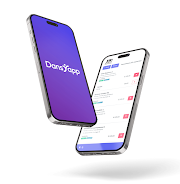

Dansapp is a compact productivity tool designed to simplify everyday tasks, combining task management, quick sharing, and lightweight automation in one mobile package. It offers streamlined workflows and a minimal learning curve so users can organize routines, share content, and automate simple processes without clutter.
At the heart of Dansapp are practical modules built for speed. The task manager lets you create, reorder, and prioritize items with swipes and tap gestures. A built-in clipboard history and quick-share panel let you send text or files to contacts or other apps without switching screens. Automation snippets allow you to link simple triggers to actions, like opening a web page or inserting template text into messages.
Dansapp adopts a clean, gesture-driven interface that minimizes menus. Navigation centers on a single bottom bar and contextual cards that appear as you interact. Controls are designed for one-handed use: swipe to archive, long-press to edit, and drag to rearrange. Visual cues and subtle animations make the experience feel responsive without being distracting, so common actions complete in just a couple of taps.
Rather than replacing your existing apps, Dansapp aims to integrate into daily workflows. It supports sharing to and from other apps, exports tasks to calendar apps, and can copy items into messaging and note-taking tools. The automation module uses simple, clearly labeled options so you can chain actions across apps without coding knowledge.
Customization focuses on practical adjustments that improve clarity and speed. Choose compact or expanded list views, set color accents for different projects, and configure the quick-share panel with frequently used contacts and apps. Automation snippets can be labeled, reordered, and enabled or disabled per profile, allowing different setups for work, travel, or personal projects.
Dansapp is built to run smoothly on a wide range of Android devices. Memory and battery usage are optimized so background clipboard tracking and quick-share features remain efficient. The app is compatible with popular Android versions and integrates with core services like the system clipboard, notifications, and file pickers, ensuring stability across phones and tablets.
Privacy-conscious design is a key consideration. Clipboard history and shared items are stored locally by default, with optional cloud sync guarded by encryption. Permissions are requested contextually so users understand why access is needed. Clear settings let you delete stored data, export logs, or disable features that require additional permissions.
Setup is straightforward. After installing, grant the minimal permissions required for the features you plan to use, like clipboard access or notifications. Create your first list, configure the quick-share panel, and try a simple automation snippet to see how triggers and actions behave. Bite-sized tutorials appear inline so you can learn as you go without leaving the app.
Dansapp works well for professionals who juggle quick notes and links, students managing assignments, and anyone who frequently copies and pastes content between apps. Use it to prepare message templates, store web links for research, automate a sequence of actions for daily check-ins, or keep a running packing list for trips.
Dansapp balances simplicity with useful automation, helping users reduce repetitive steps and keep important information accessible. Its lightweight interface and interoperability with other Android apps make it a practical companion for anyone who wants to streamline small but frequent tasks without a steep learning curve.