Period Tracker - My Calendar helps users monitor menstrual cycles, fertile windows, and symptoms with a clear calendar interface and personalized reminders. The app blends accurate cycle predictions, mood and health logging, and privacy controls so people can track patterns and get timely notifications that fit personal routines.
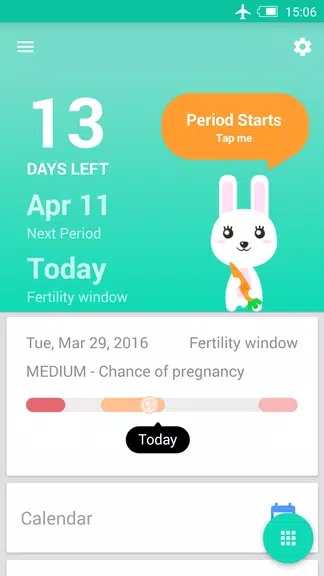
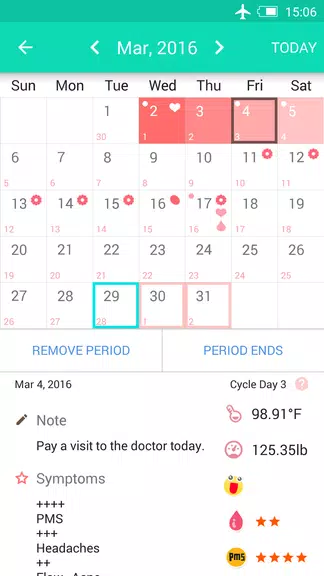
Designed for everyday health management, Period Tracker - My Calendar focuses on simplicity and reliability. It converts daily entries into a calendar view, highlights upcoming periods and fertile days, and generates reports you can review at a glance. The app suits people who want a lightweight, dependable tool rather than a complex medical dashboard.
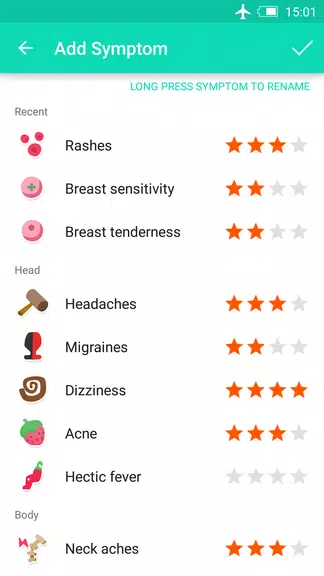
Entering information takes seconds. After an initial setup—where you input cycle length and typical period duration—the app refines predictions as more data accumulates. Each day you can add symptoms, sexual activity, weight, and notes. The prediction engine then adjusts fertile window and period estimates based on patterns and averages.
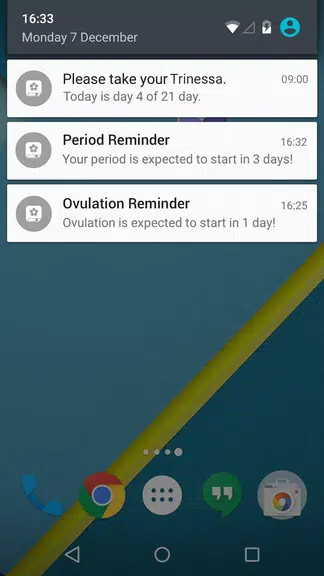
The settings let you tailor reminders, notification timing, and which symptoms appear on the quick-entry screen. You can rename labels, choose colors for calendar markers, and decide how many days in advance you'd like alerts. These options help make Period Tracker - My Calendar fit individual routines rather than forcing a one-size-fits-all setup.
The interface emphasizes readability: bold dates, intuitive icons, and a compact summary view. Performance is responsive on a range of devices and the app minimizes battery use by limiting background processes to necessary reminder checks. Visual design leans toward clarity, with accessible contrast and straightforward navigation between weeks and months.
Period Tracker - My Calendar offers basic protections like app locking and local-only storage, reducing cloud exposure. Check the permissions during installation and review the app’s privacy settings to confirm whether data is stored locally or synced. For those who prioritize confidentiality, disable any automatic backups to external services.
Users often cite the app’s straightforward calendar, minimal learning curve, and dependable reminders as reasons to stick with it. Health-conscious people appreciate the quick logging mechanics and the balance between useful insight and uncomplicated design. The app also supports tracking for irregular cycles and long-term pattern recognition.
Installation is typical for Android apps: download, grant optional permissions, and complete the initial cycle setup. Spend a week entering day-to-day symptoms to see the calendar come alive. If needed, explore the settings to personalize alerts, export historical data, or secure the app with a PIN.
For anyone seeking a focused menstrual health tracker that emphasizes clarity, ease of use, and practical reminders, Period Tracker - My Calendar provides a reliable toolkit for monitoring cycle-related changes and maintaining better day-to-day awareness.