Web Video Caster Receiver brings streamed media from phones and tablets to big-screen devices, turning your Android into a lightweight receiver for cast-enabled apps and browsers. It captures video, audio, and local files, enabling seamless playback on compatible devices without complicated setup or extra hardware.
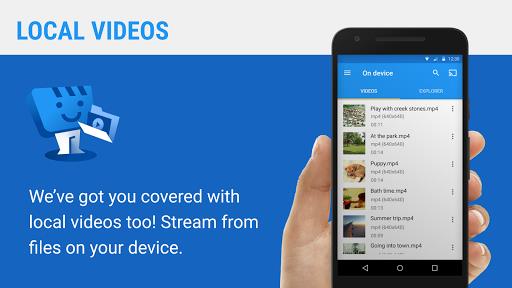
At its core, Web Video Caster Receiver acts as a bridge between your mobile content and a larger display. The app receives media streams and hands them off to the device’s native player or a linked external player. That makes it useful for playing web videos, locally stored files, and links shared from browsers or other apps.
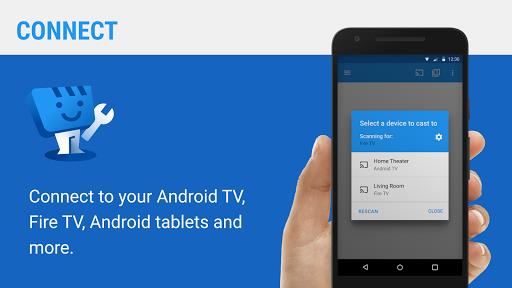
The interface focuses on clarity: a simple pairing screen lists available targets and connection status, while a playback view displays the current stream and transport controls. Typical workflow involves selecting a target device, sending a URL or selecting a local file, and then using the sender to control playback. The app keeps essential options accessible without cluttering the main screen.
When you initiate casting, Web Video Caster Receiver advertises itself to the local network so sending devices can detect it. It accepts media URIs and either plays them directly or invokes a compatible player. Because the receiver sits on your Android device, it grants flexibility—your phone becomes the controller while the receiver handles decoding and output.
Performance depends on network quality and the playback device’s capabilities. Hardware acceleration is used when available to reduce CPU load and improve battery life during extended playback. The app is designed to work on a wide range of modern Android devices and with many cast-capable display endpoints. Users should expect reliable video output for common codecs and adaptive bitrate streams, though very high-bitrate sources may require more powerful hardware.
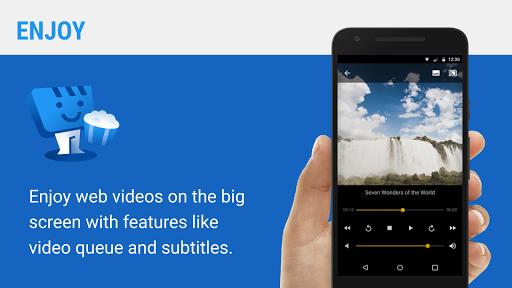
Power users will appreciate options for subtitle timing, switching audio tracks, and selecting between local decoding or handing the stream to another player. Developers or tech-savvy users can use URLs generated from browser pages to test streams quickly. The app’s setup leaves room for customization without forcing complex configurations on casual users.
Web Video Caster Receiver operates on your local network and respects the permissions you grant. It does not need to upload media to cloud servers for standard casting, which limits exposure of local files. For sensitive content, verify your network security and only connect trusted sender devices.
Choose Web Video Caster Receiver if you want a compact and reliable way to turn an Android device into a media target. It balances ease of use with the flexibility required by advanced users, supporting a variety of playback scenarios without requiring extra hardware or complicated network setups.