
Video Downloader Pro - Download videos fast & free is a compact and practical utility for saving videos, clips and audio from social networks and web pages directly to your Android device for offline viewing. The app combines a built-in browser with automatic media detection, a flexible download manager and an internal media player so you can find, queue and play clips without switching between multiple apps or converting files externally. Designed for people who collect tutorials, short videos, interviews or reference media for travel or study, Video Downloader Pro - Download videos fast & free emphasizes a simple workflow, background transfers and basic file organization tools to keep a growing library easy to maintain.
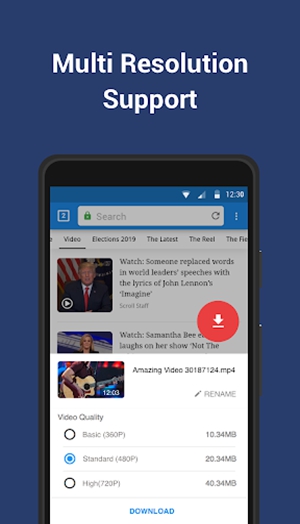
The integrated browser monitors pages as you navigate and highlights playable media with a clear download control; a single tap begins the transfer through the app's manager. Supported formats include common containers such as MP4 and audio files, plus stream-friendly playlists like M3U8 when available. When detection finds multiple resolutions or streams, the interface presents sensible defaults and lets you choose alternatives. The manager supports pause and resume, multiple simultaneous transfers and automatic retries for interrupted downloads so large files and unstable networks are handled with minimal manual intervention.
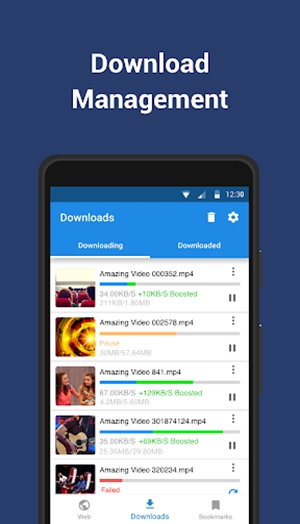
Controls are intentionally straightforward to reduce friction: tap detected media to start, long-press to queue several items, and use the notification panel to monitor progress while working in other apps. The queue shows each transfer with metadata—file name, estimated size and remaining time—so you can prioritize urgent items. Progression here means more than speed: as you build a collection the app preserves state, resumes incomplete files and exposes file-level operations such as move, rename and delete so you can stage downloads and complete them without losing context.
An internal file manager helps you organize downloads into folders, create simple playlists for repeated viewing, and sort content by date, size or type. Customization options let you choose default download folders, enable saving to external storage (SD card) when supported by the device, and toggle notification behaviors. The built-in player supports basic playback controls—seek, play/pause and volume—so you can preview files quickly; combined with folder-based organization, this creates natural replay value for commute playlists, study bundles or reference clips you revisit regularly.
The interface favors clarity over ornamentation: readable typography, clear icons and touch targets sized for comfortable one-handed use make it easy to scan detected media and available options. Themes and layout choices keep the app visually accessible across screen sizes, and accessibility considerations include labeled controls and a logical navigation order so common screen readers can interpret primary buttons and storage paths. Settings are presented with straightforward language so users can select download directories, set transfer limits, and manage notifications without needing technical expertise.
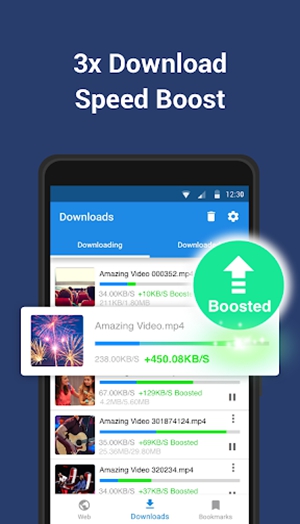
Performance features include a Super download mode that can increase throughput on compatible networks and background downloading so transfers continue while you use other apps. The combination of simultaneous transfers and resume capability reduces waiting time and helps incomplete files finish when connectivity returns. Offline playback is central: the bundled player and file manager mean most content is available without additional apps, which is useful for flights, long commutes or areas with limited coverage. The app also offers retry logic and file integrity checks to minimize corrupted downloads.
Video Downloader Pro - Download videos fast & free cannot bypass platform restrictions and will not download from services that actively prevent direct saving; encrypted or protected streams may fail despite detection attempts. The tool is intended for personal offline use, and users should respect copyright and site terms of service. Avoid using downloaded material for unauthorized distribution or commercial purposes and verify permissions when saving content created by others.
This app suits users who want a lightweight, single-app solution to capture web media for personal offline viewing: students saving lecture clips, travelers compiling entertainment for long trips, or researchers collecting reference footage. Video Downloader Pro - Download videos fast & free works without advanced technical knowledge, providing clear controls, organized file management and compatibility with common formats so everyday use remains practical and predictable across a wide range of Android devices.