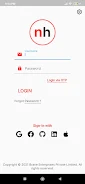

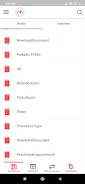
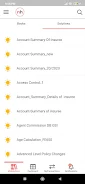
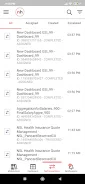
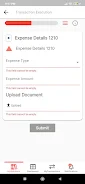
nslhub is a compact productivity app that centralizes tools for managing files, notes, and quick workflows on Android. It streamlines common tasks through a minimal interface and customizable shortcuts, helping users save time while keeping frequently used functions within easy reach and well organized.
nslhub acts as a lightweight launcher for business and personal utilities, bundling file access, quick note-taking, and script-like actions into a single hub. It’s designed for users who prefer fast, repeatable steps rather than navigating multiple apps. The app emphasizes speed, low battery impact, and predictable behavior under heavy use.
Rather than replacing full-featured apps, nslhub complements them. Use it to reduce friction: start a timer, open a project folder, capture a quick idea, and launch a preferred editor — all from one compact panel. For teams that share templates or standardized responses, the snippet sharing features can standardize repetitive communication.
The design is intentionally uncluttered. A single-pane dashboard exposes the most used items while deeper options remain a tap away. Animations are subtle to conserve battery and keep interactions fast. Memory use is modest, and background activity is minimized so nslhub won’t affect long-running tasks or interfere with other apps.
Users can tailor the experience by creating custom tiles and naming them according to their routines. Shortcuts can trigger apps, open specific files, or insert saved snippets into a clipboard automatically. Visual tweaks include compact and expanded layouts, icon themes, and color accents to match personal preference or corporate branding.
nslhub stores snippets and shortcuts locally by default, so sensitive data stays on the device unless explicitly exported. Export and import features support encrypted archives for backups. Permission requests focus on the minimum necessary: storage access to link files and optional clipboard access to automate text insertion.
Install from a trusted source and grant storage permission when prompted. The initial setup walks users through creating three starter tiles. From there, add more actions, import templates, or connect a cloud folder. The onboarding process is brief and practical, aimed at having a usable hub ready in under five minutes.
nslhub is particularly helpful for freelancers, managers, and professionals who juggle repetitive digital tasks. It also appeals to anyone who wants to reduce app-switching and speed up routine processes. Power users will appreciate the ability to compose small automation chains without learning complex tools.
Feedback from power users highlights the clean interaction model and the time saved once common workflows are wired into the hub. The learning curve is small: basic functions are intuitive while advanced customizations reward exploration. Regular updates refine performance and introduce more integration options.
For Android users looking for a modest, configurable assistant to streamline everyday tasks, nslhub provides an efficient, low-friction way to centralize actions and reduce time spent navigating between apps.