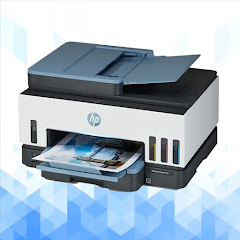
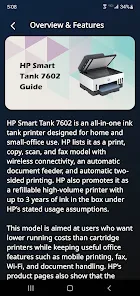
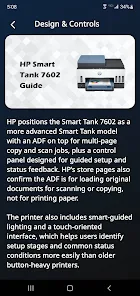
HP Smart Tank 7602 Guide helps owners get the most from their HP Smart Tank 7602 printer by explaining setup, features, and daily maintenance. This guide condenses step-by-step instructions, connectivity tips, and feature walkthroughs into a single reference to simplify printing, scanning, and managing ink levels on Android devices.
The HP Smart Tank 7602 Guide is a concise, hands-on manual designed for Android users who want straightforward instructions for connectivity, routine care, and advanced features such as wireless printing, mobile scanning, and firmware updates.
Rather than a marketing brochure, this guide focuses on practical tasks. Expect clear walkthroughs for initial setup, Wi‑Fi configuration, and integrating with cloud services. It also outlines how to access diagnostics, monitor ink consumption, and use the scanner from your phone. The content targets real-world needs: fast setup, reliable prints, and lower upkeep time.
Getting started with the HP Smart Tank 7602 Guide begins with a checklist: confirm the package contents, choose a stable location, and set up the ink system without spills. The guide walks through each mobile permission required by the companion app, explains how to put the printer into setup mode, and shows the simplest route to connect via WPS or manual SSID entry. For users who manage multiple networks, there’s a short section on switching connections without factory resets.
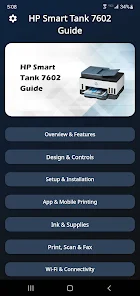
The guide breaks down the mobile app layout and the printer’s control panel so you can quickly find the tools you need. Navigating the Android app is covered from the home screen to the print job queue. Detailed notes describe how to set print quality presets, select duplex printing if available, and choose paper types to avoid scale and color shifts. One page is devoted to creating templates for frequent tasks like receipts, homework, or photo prints.
Print and scan instructions include recommended settings for text documents, mixed-content pages, and photos. The HP Smart Tank 7602 Guide recommends optimal resolution ranges, color profiles, and preview checks to prevent wasted paper. In the ink section, it explains how to read level indicators, store spare ink safely, and perform head maintenance cycles only when necessary, which extends cartridge and tank life.
Rather than long technical explanations, the troubleshooting portion lists symptoms and quick remedies. For network dropouts, it suggests checking DHCP settings and IP reservations. For print quality issues, it guides you through cleaning cycles, nozzle checks, and alignment. The guide also describes how to interpret error codes from the printer panel and when a factory reset is a last resort.
A simple maintenance calendar recommends checks after heavy use, such as school printing bursts or small business bursts. It includes frequency recommendations for head cleaning, paper path inspection, and ink reservoir top-ups to keep the printer reliable and reduce long-term costs.
Readers pick the HP Smart Tank 7602 Guide for its clear, actionable instructions and focus on everyday scenarios. It avoids jargon and prioritizes quick wins: faster setup, fewer support calls, and consistent print quality. Whether you’re an occasional home user or running a small office, the guide helps you make the most of the printer without spending hours on trial and error.
For users who like checklists and step-by-step visuals, the guide also includes a quick-reference page to get back online or clear a jam with minimal disruption. Use the HP Smart Tank 7602 Guide as a practical companion to keep the printer running smoothly.