

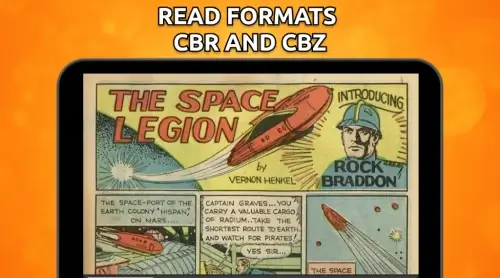
Comic Book Reader is a lightweight Android app designed for reading digital comics and manga with ease. It combines responsive page rendering, flexible library management, and gesture controls to deliver a smooth reading experience across formats like CBZ, CBR, PDF and image folders for casual and serious readers alike.
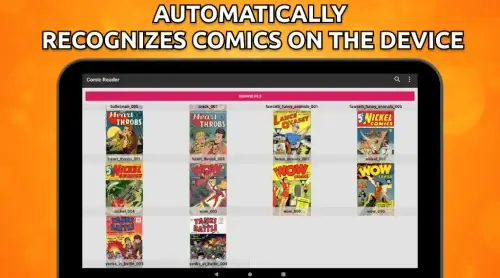
Comic Book Reader focuses on fast, dependable playback of sequential art files and single-page PDFs. It supports common archive formats and image collections, automatically scans device storage for new additions, and builds an organized library with series and custom tags. The app emphasizes readability and quick access to large collections without sacrificing performance.
Navigation relies on simple, tactile controls. Tap zones advance or rewind pages, while pinch-to-zoom and pan let you inspect panel detail. Auto-fit and stretch modes adjust images to screen dimensions. For long-form reading, continuous scroll keeps panels in sequence so you don’t lose flow. The app caches pages ahead of time to reduce load pauses when flipping through large scans.
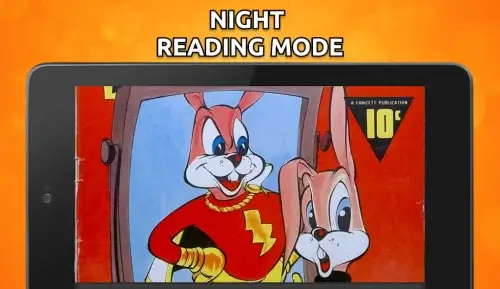
Display settings adapt the reading surface to your preferences. Choose reading direction for left-to-right or right-to-left comics, enable crop-to-fit to remove margins, and toggle between color, grayscale, or night mode to ease eye strain. The app also offers configurable page transition animations and a layout preview so you can switch modes without trial-and-error.
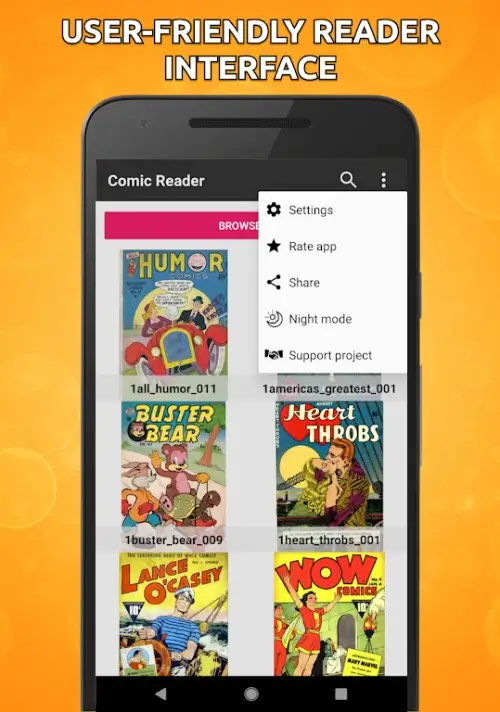
Built-in tools make it simple to organize big collections. Create series entries, batch-rename files based on metadata, or apply tags to group genres and creators. The library includes filters for unread status, file type and custom ratings. Automatic scanning runs on demand or schedule to detect newly downloaded issues, while an export option saves selected entries to external storage.
Comic Book Reader is optimized for modern Android devices, balancing memory usage with fast rendering. Page preloading and adjustable cache limits keep performance steady on mid-range hardware. The interface follows a minimal design language: a compact toolbar for essential actions, gesture-first controls to reduce clutter, and a fullscreen reading view that hides controls until you need them.
Advanced users will appreciate support for external storage and cloud-mounted folders, which lets you maintain a single library across devices. Comic Book Reader also supports sharing individual files or entire issues via Android's standard share menu, making it straightforward to back up favorite runs.
Installation is typical for Android apps: download, grant storage access for library scanning, and point the app to folders containing your comics. After an initial scan you can adjust viewing preferences, import cover art or metadata, and set reading direction per series. Within minutes you can be reading with custom gestures and bookmarked pages intact.
Whether you maintain a modest selection or a massive archive, Comic Book Reader aims to make navigation and reading comfortable without distracting bells and whistles. Fast loading, useful organization tools and flexible display modes form the core of its appeal for readers who want a reliable, no-nonsense comic experience on their Android device.