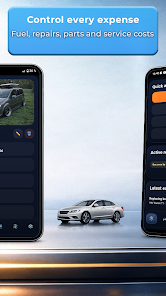
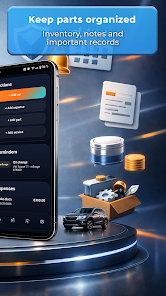
SmartGarage: Car Manager helps you organize vehicle maintenance, track expenses, and schedule service reminders from one tidy dashboard. Designed for daily drivers and fleet owners alike, SmartGarage: Car Manager centralizes fuel logs, repair receipts, and inspection records so your cars stay reliable and costs stay transparent with minimal effort.
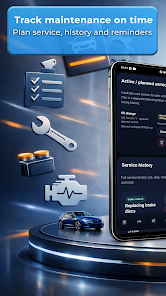
SmartGarage: Car Manager provides a focused set of tools that make routine care straightforward. Log oil changes, tire rotations, and inspections; attach photos or invoices to entries; and keep a running odometer history for each vehicle. The app also supports custom service types so you can record specialized repairs or aftermarket upgrades.
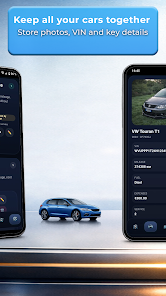
The interface groups each car into its own profile, letting you switch between vehicles in a single tap. A compact dashboard shows upcoming due dates, recent expenses, and fuel efficiency trends. Color-coded alerts highlight urgent tasks while filters let you view only the items that matter, such as warranty-covered work or high-cost repairs.
Automated reminders are at the heart of staying on top of vehicle upkeep. Create reminders based on date, mileage, or time intervals and receive push notifications before services are due. SmartGarage: Car Manager enables recurring schedules and lets you postpone or reschedule tasks when plans change, helping avoid missed services that can lead to bigger problems.
Record every fuel fill, parts purchase, and mechanic invoice to get a clear picture of ownership costs. The app categorizes expenses and produces summaries you can export or share. Use built-in charts to compare cost-per-mile across vehicles, identify rising maintenance trends, and set budgets for upcoming projects.
Logging fuel entries is fast and flexible. Enter fill amounts, prices, and odometer readings, or use estimated values for quick updates. The app calculates MPG or L/100km automatically and displays a trend line so you can spot drops in efficiency that may indicate service needs like an air filter change or tire pressure issue.
SmartGarage: Car Manager adapts to different workflows. Add custom tags to entries, attach documents and photos, and mark items as private when needed. Search and filter options let you find receipts or service records in seconds. For fleets, you can add driver notes and assign service responsibilities to team members.
The app runs smoothly on most modern Android devices and aims for low battery and data usage. Local storage and optional cloud sync let you choose where records are kept. When cloud features are enabled, encrypted backups protect sensitive documents and restore options simplify moving data to a new phone.
SmartGarage: Car Manager supports common export formats so you can create CSV summaries for accounting or share PDFs with a mechanic. Integration with calendar apps and basic mapping functions helps plan service appointments and locate nearby shops. Third-party sync is available for select fuel or parts services, improving convenience.
Begin by creating a profile for each vehicle and entering the most recent odometer reading. Add a handful of past services to build context, then enable notifications so you won’t miss the next oil change. As you add fuel and repair entries, the app’s insights become more useful and help lower long-term ownership costs.
For drivers who want a simple, practical way to manage car care, SmartGarage: Car Manager offers reliable recordkeeping, timely reminders, and clear cost analysis without unnecessary complexity. Its combination of intuitive design and useful features helps you keep vehicles running smoothly and budgets under control.