Intro video maker is a compact, template-driven editor designed to help creators produce short branded intros and outros quickly and without a steep learning curve. The app focuses on giving every clip a professional opening by combining animated text, dynamic backgrounds and simple logo animation so users with no motion-design experience can assemble polished MP4 intros in minutes. The interface centers on a clear, step-by-step workflow: choose a template, replace placeholder images and text, adjust timing and export. Because Intro video maker favors speed and clarity over complex timelines, it works well for social creators, small businesses and anyone who needs consistent branding across multiple short videos.
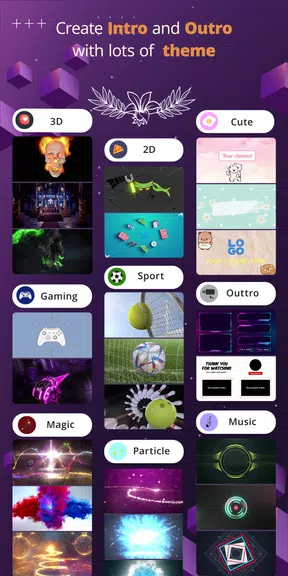
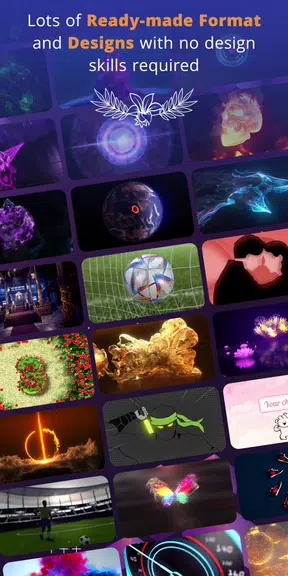
Intro video maker ships with a library of professionally designed intro templates organized by style and aspect ratio, so you can pick a format tailored to YouTube, Instagram, TikTok or other platforms. Templates include animated text elements with basic animation presets, dynamic background options and room for a logo or image. You can import music from your device or use the provided tracks, trim audio clips to match your intro length, and export high-quality MP4 files in Full HD. Many templates are available at no cost and exported videos come without any watermark, which keeps brand presentations clean and ready for publishing.
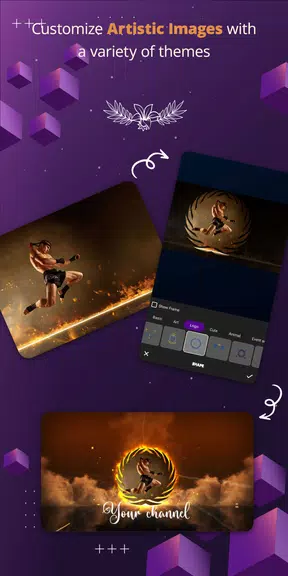
The editor uses intuitive touch controls and direct manipulation: tap elements to edit text, drag-and-drop images into placeholders, pinch to scale logos, and slide handles to trim durations. Timeline controls are simplified to a single strip showing clip length and audio waveform so users can match motion and sound without learning complex keyframing. Basic motion adjustments such as duration, delay and easing presets allow you to control the pace of animated text and logo reveals. Project management is straightforward: save projects locally, duplicate templates to try variations, and export each project as an MP4 file that can be shared to social apps or uploaded later.
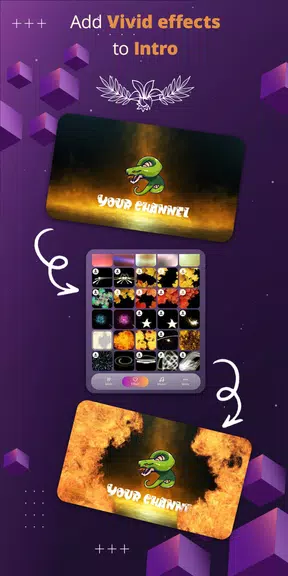
The visual toolkit emphasizes clarity and brand consistency. Choose from multiple font families, adjust font weight, color and size, and apply text outlines or shadows to improve legibility over moving backgrounds. Backgrounds include gradients, abstract motion patterns and loopable video textures; you can control their speed and opacity to keep the foreground logo and text prominent. Logo animation presets provide several professional entrance and exit styles, and you can layer images and text with simple ordering controls. The app deliberately keeps advanced compositing minimal so creators can focus on a distinctive, repeatable look rather than technical complexity.
Rather than a traditional progression system, Intro video maker encourages steady improvement through reusable templates and presets. As you assemble and save more projects, you build a personal library of branded templates and presets that speed up future edits and maintain visual consistency across videos. Replay value comes from experimenting with timing, fonts and background motion, and from creating variations for different social platforms or seasonal campaigns. Projects are organized into a simple list view with thumbnails, making it easy to open, duplicate or export previous work.
The app is designed to be approachable on phones and tablets, with large icons, readable labels and a short guided tour for first-time users. Controls respond to standard touch gestures and the editor supports autosave so work is not lost if you switch apps. Intro video maker does not require a constant internet connection for core editing and exporting tasks, allowing offline use when you need to create or tweak an intro without network access. Built-in sample projects and short tutorials demonstrate typical use cases step-by-step, helping users get productive quickly.
Intro video maker is optimized for short branded openings and closings rather than full-length video editing. It does not offer advanced compositing, nodal workflows, or professional motion graphics controls you would find in desktop software, and export options are centered on MP4 output. If you need a lightweight, fast way to produce consistent intros for social posts, channels, or product videos, Intro video maker provides a practical balance of speed, customization and straightforward controls. For complex multi-track edits or feature-length projects, a full video editor would be a better fit.