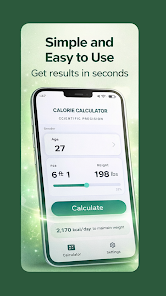
Calorie Calculator is a lightweight Android app that estimates daily energy needs, tracks macronutrients, and helps manage weight goals with simple inputs and clear feedback. It supports activity levels, customizable targets, and a quick food lookup so users can log meals fast and stay focused on progress.
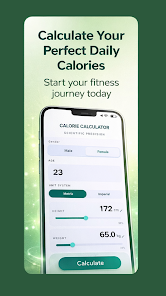
Calorie Calculator brings together essential tools for anyone monitoring intake: basal metabolic rate (BMR) estimation, total daily energy expenditure (TDEE) calculations, and macronutrient breakdowns. The app converts personal data—age, height, weight, sex, and activity level—into actionable daily calorie targets for weight loss, maintenance, or muscle gain.
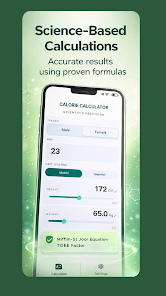
The app uses widely accepted methods to estimate energy needs and then adjusts them by activity level. Calorie Calculator first computes your resting energy requirement, then multiplies by an activity factor to produce a daily energy estimate. From that base, the app applies your chosen goal—calorie deficit for fat loss, slight surplus for muscle building, or neutrality for maintenance—and recommends macronutrient targets.
Designed for quick interactions, Calorie Calculator focuses on minimal screens and straightforward controls. The main dashboard displays today’s calorie allowance, calories consumed, and remaining macros at a glance. Logging a meal takes only a few taps: search or select a saved item, choose a serving size, and the totals update instantly. Notifications are optional and can remind users to log meals or check progress at set intervals.
Everyone's diet plan is different, so the app includes flexible settings. Users can edit activity multipliers, define custom macro ratios, and choose whether calorie targets show as daily numbers or weekly averages. For those following specific diets, custom food entries let you add recipes or brand items with full nutritional detail.
Built to run smoothly on a wide range of Android devices, Calorie Calculator uses lightweight storage and local processing to keep battery use minimal. The app doesn’t insist on constant internet access for basic functions; a connection is required only for expanding the online food database or syncing backups. Compatibility extends across recent Android versions and most phone screen sizes.
Calorie Calculator keeps user data local by default, with optional cloud backup for those who want it. Personal information used to calculate recommendations is stored securely and can be cleared at any time. The app provides straightforward controls for exporting or deleting logged entries and weight history.
Begin by entering basic profile details and selecting an objective. Calorie Calculator guides you through setting an activity level and recommending a starting calorie target. From there, log common meals and adjust settings until the workflow fits your routine. Regular logging and periodic weight updates are all it takes to make the app a reliable companion for reaching nutrition goals.