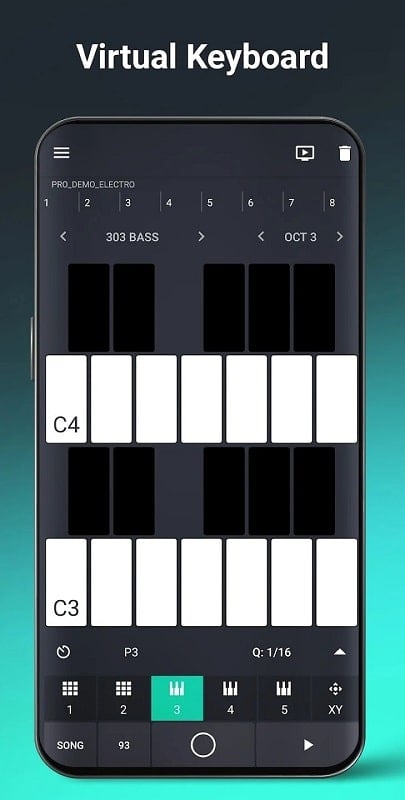
Groovebox 4 is a mobile music studio that lets you craft beats, synth lines and complete tracks with intuitive touch controls and built-in instruments. It combines pattern sequencing, real-time effects and export tools into a compact interface suitable for quick ideas or detailed arrangements on Android devices.
Groovebox 4 bundles a set of creative tools designed to speed up the songwriting process. At its heart are pattern-based sequencers, layered instruments, and a straightforward mixer. Strong time-saving features include preset kits, pattern chaining and quick-edit controls that reduce menu diving so you can work uninterrupted.
The app presents a clean, touch-optimized workspace that keeps play, record and edit actions within reach. Tracks are arranged as scenes and patterns you can tap to trigger or edit. A focused transport area and contextual controls let you tweak parameters in real time, while visual indicators help you follow timing and automation without needing extensive studio experience.
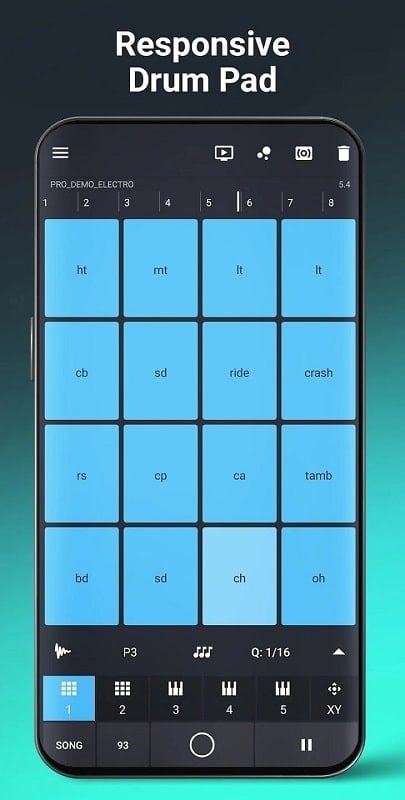
Groovebox 4 includes a variety of built-in instruments spanning punchy drum machines, bass synths and textured lead voices. Each instrument exposes editable parameters such as filter cutoff, envelope shape and modulation routing, enabling quick sound tailoring. Preset banks provide starting points that you can morph into unique tones to match different genres.
Onboard effects give tracks character and polish. Reverb and delay add space, distortion imparts grit, and dedicated EQs help carve room for each element. Routing options allow you to send multiple patterns through shared buses or apply sidechain-like ducking, making the app suitable for both sketching and more polished arrangements.
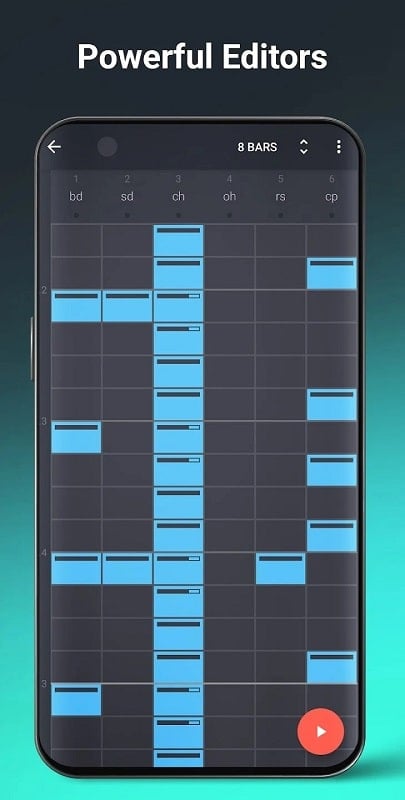
Pattern chaining turns short loops into full-length arrangements with drag-and-drop ease. A timeline view helps you organize sections and experiment with song structure without losing the groove. The step sequencer is ideal for tight rhythmic programming, while a piano-roll style editor is available for melodic adjustments and note-level edits.
Export options are practical: bounce finished tracks to stereo audio files, export stems for further work in a desktop DAW, or share demo clips directly to social platforms. For those who work with hardware, the app can integrate into broader setups via standard audio routing and clock sync. Cloud backup and project import/export keep sessions portable between devices.
Groovebox 4 is optimized to run smoothly on a wide range of Android hardware. Low-latency audio handling and intelligent resource management let you layer multiple instruments without noticeable slowdown on supported devices. Battery-friendly settings and an offline mode make it possible to sketch ideas on the go.
Groovebox 4 suits creators who want a portable, hands-on environment for producing electronic music, hip-hop, pop and ambient textures. Its balance of immediacy and depth makes it valuable for quick idea capture, live performance support, or as a sketchpad before moving projects to more complex setups.
To begin, load a drum kit, pick a synth preset and record a short loop. Experiment with pattern length and swing to find a pocket, then layer bass and lead parts. Save versions as you go and use the export menu to create a shareable mixdown when you’re ready. Groovebox 4’s learning curve favors exploration, so try altering parameters during playback to discover unexpected results.
For mobile producers seeking a compact production environment, Groovebox 4 offers a compelling mix of tactile controls, useful presets and flexible export options that keep ideas moving from concept to finished audio.