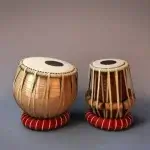



TABLA: India Mystical Drums recreates the character and responsiveness of a real tabla set on Android devices, offering musicians and students a portable studio-quality percussion instrument. The app combines recorded dayan and bayan samples, a touch-sensitive playing surface and a flexible pattern engine so you can practice traditional taals, compose grooves or perform live with a realistic feel. TABLA: India Mystical Drums focuses on low-latency audio and expressive touch response to preserve the subtle changes in tone that make Indian percussion distinctive.
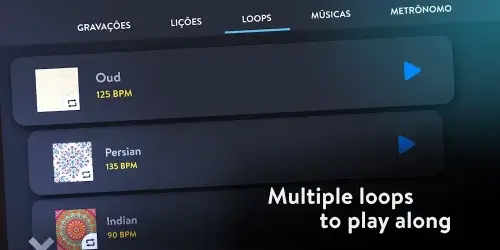
High-quality samples taken from real instruments capture separate voices for dayan and bayan, including the tonal ring and muted strokes that define tabla phrasing. The app supports layered velocity so that soft and hard strikes produce different spectral content. A built-in pattern library includes common taals such as teentaal, jhaptal and dadra, and a pattern sequencer lets you chain cycles into longer arrangements for practice or composition. TABLA: India Mystical Drums also offers tempo and swing controls, an integrated metronome, recording and export options, plus MIDI output and Bluetooth audio support for external routing.
The on-screen layout maps traditional bols to intuitive touch zones and recognizes position and pressure to emulate finger placement on both drums. Dynamic sample layering and responsive envelopes produce immediate attack and natural decay, so timing and articulation translate faithfully during practice or performance. The audio engine is optimized to keep CPU usage low while maintaining high fidelity, which helps minimize latency and extends battery life during long sessions.
Users can tune each drum independently and adjust tonal character with built-in EQ and reverb controls, allowing you to place the instrument in small practice rooms or larger virtual spaces. Alternate sample sets let you shift the instrument’s color from studio-bright to earthy and raw, and saved kits make it easy to switch between sounds for different genres or arrangements. The interface uses clear zones for playing surface, pattern controls and transport areas, with optional compact and tablet layouts that scale controls for smaller phones or studio tablets.
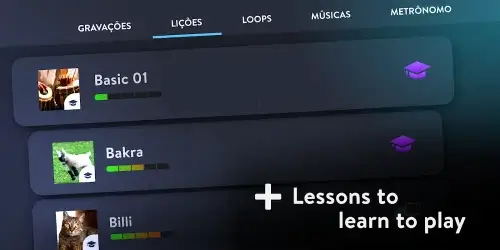
Layered learning aids include looped practice segments, variable-speed playback without pitch change, and visual notation for common bols to support beginners and advanced players alike. A progression system tracks practice sessions and tempo milestones so you can set incremental goals and measure improvement over time. Guided exercises present increasingly complex rhythmic challenges and tempo targets that you can repeat, record and export; all progression data is stored locally and intended to help structure practice rather than compete online.
The multi-touch interface supports nuanced strokes, drag-and-drop pattern building and contextual visual feedback to indicate suggested finger placement and stroke emphasis. Transport controls are accessible while you play, making it simple to start and stop recording or loop a segment. The pattern sequencer provides a linear workspace to arrange taals into longer forms for songwriting or rehearsal, and exported audio or MIDI files integrate smoothly with desktop DAWs and mobile studios.
Designed for both practice and live use, the app supports USB and Bluetooth audio devices and standard MIDI controllers so you can route output to stage mixers or recording setups. The engine’s low CPU footprint keeps performance stable on a wide range of Android hardware, and the app’s audio settings let you prioritize latency, sample rate and buffer size depending on your device and use case.
The UI emphasizes clarity and playability: visual metronome cues, adjustable hit zones and optional large-button modes help players with different dexterity levels. Haptic feedback can be enabled to reinforce timing, while contrast and scale options make controls more visible in various lighting conditions. Contextual help and in-app tooltips guide new users through basic strokes, pattern editing and export workflows so the learning curve remains approachable.
Compatible with modern Android releases, the app supports offline practice so you can work without a network connection and optionally back up presets and recordings to cloud services you enable. Developers regularly update sample sets and rhythm packs and provide release notes to explain changes. For reliability on stage or in rehearsal, recommended device specifications are listed within the app to help you achieve optimal responsiveness.
Begin with slow tempos and velocity sensitivity enabled to learn how touch affects tone, use looped segments to isolate tricky phrases, and export takes to your DAW for further arrangement. Try alternate sample sets and subtle reverb settings to find a sound that sits well in mixes, and use the progression tracker to set small, achievable tempo goals that build accuracy over time. Whether you are refining technique, composing rhythmic parts or performing, TABLA: India Mystical Drums aims to provide a practical, expressive mobile tabla experience.