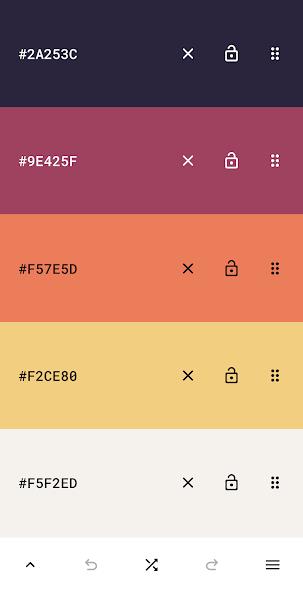
Mobile color-palette and design tools for creatives find a compact, capable option in Pigments. This Android app puts hue control, palette creation and quick sharing into a single, approachable interface so designers, illustrators and hobbyists can experiment without wrestling with complex menus. Pigments supports precise numeric input along with visual sliders, lets you extract palettes from images and save named sets for reuse. Whether you are building a brand kit, matching fabrics while shopping, or preparing a social media visual between tasks, Pigments keeps color decisions visible and portable.
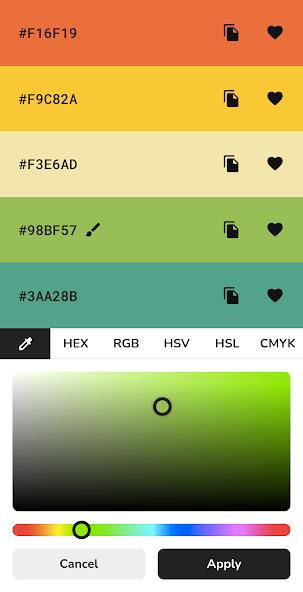
Precise color controls: Adjust values using HEX, RGB, HSV and CMYK fields or nudge sliders until a shade feels right; numeric inputs make it simple to reproduce exact tones across projects.
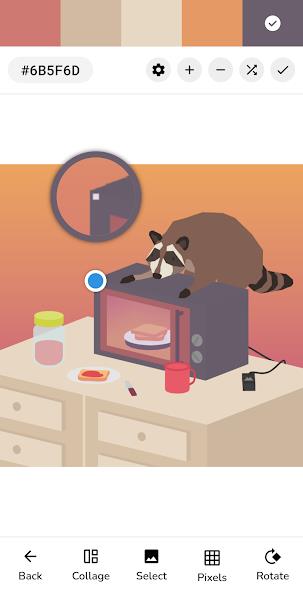
Image-based extraction: Import photos and pick colors directly from the image; this is handy for matching a garment, retrieving tones from reference art or sampling gradients from a photo.
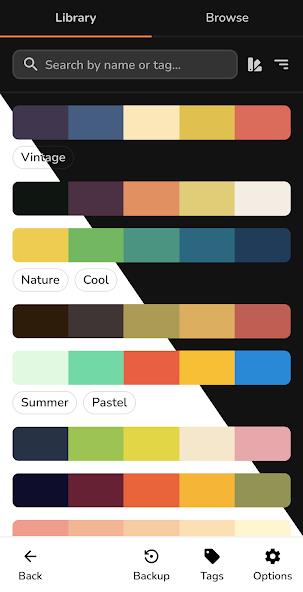
Preset themes and random mode: Browse curated themes like Pastel, Metallic, Warm and Skin Tones, or push a Random generator when you want unexpected combinations to spark new ideas.
Save, name and share palettes: Store custom palettes with descriptive names, export or share them to other apps and send sets to collaborators to keep color choices consistent across devices and workflows.
Light and dark interface: A minimal UI that switches themes keeps focus on color while offering a readable workspace day or night.
Manual mixing: Build palettes step-by-step by selecting base hues and fine-tuning until the balance works for logos, UI mockups or illustrations.
Template-based palettes: Start from prebuilt collections when you need a quick starting point for mood boards or presentation slides.
Image-sourced palettes: Use photographs and screenshots as the seed for a color scheme, ideal when you need a palette that directly references a real-world texture or product.
Exploratory/Random palettes: Let the app suggest unexpected pairings to break creative blocks and discover fresh harmonies you might not make deliberately.
Name and tag your sets: Give palettes clear names and notes so you can find them later for client revisions or seasonal campaigns without redoing work.
Use numeric values for brand work: When you are supplying assets to a team, record exact HEX or CMYK values from Pigments to avoid color drift between apps and print providers.
Reference images for accuracy: Import a photo of a fabric swatch or interior paint sample to create a matching palette on the spot, then export it to compare with product pages.
Can I extract a palette from a photo?
Yes. Import any image and pick colors directly from it so your palette reflects exact tones from the picture.
Does Pigments let me enter HEX or CMYK values?
Yes. You can type or paste HEX codes and use RGB, HSV or CMYK fields to recreate or adjust colors precisely.
Is Pigments suitable for beginners as well as professionals?
Yes. The app's clean interface keeps basics simple while offering the numeric control and export options more experienced designers need.
Pigments is a practical, design-focused palette tool that suits anyone who needs accurate colors and easy sharing, and it especially benefits creators who move between image references and precise brand requirements.