
Image & Video Date Fixer is a focused utility for recovering and restoring original creation timestamps on photos and videos that lose their dates during transfers, downloads, or backups. Image & Video Date Fixer reads embedded EXIF and file-system timestamps, attempts to rebuild missing metadata when possible, and gives you tools to return media files to their true date and time so galleries stay chronologically organized. Whether you move media between devices, copy albums to cloud storage, or import from external cards, this app reduces the time spent hunting through scattered timelines and makes collections easier to browse.
The app provides automatic scans across local storage and connected services, detailed metadata reading, and batch correction for large libraries. Image & Video Date Fixer can extract EXIF metadata from photos, read container timestamps from video files, and combine available indicators to produce a best-available creation date. When exact metadata is missing, the app analyzes file attributes and common patterns to suggest approximate dates that you can accept or adjust manually. Manual editing is supported for single files or whole groups so you can refine corrections with precise date and time input, timezone adjustments, or by specifying file naming rules to derive creation dates.
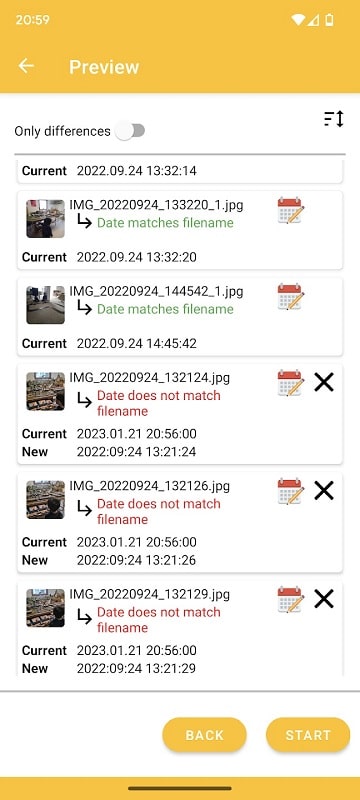
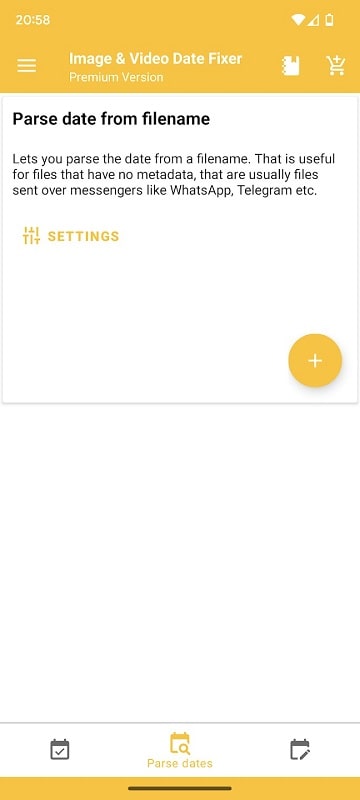
Scan controls are designed to be simple: choose a source folder or library, start a quick scan, review the proposed changes, and apply corrections in a single step. For users who prefer finer control, there are filter controls to include or exclude specific file types, size ranges, or date windows, plus preview panels showing before-and-after timestamps. Touch-based controls let you tap a file to edit timestamps, swipe through grouped photos to apply the same correction, and use bulk selection gestures for entire albums. The interface follows common Android navigation patterns so learning the controls is fast even for users new to metadata tools.
Workflows are built around progressive stages to keep large libraries manageable: an initial discovery pass flags files with missing or inconsistent dates, a review stage groups candidates by folder or event, and a correction stage applies your chosen changes. You can save and reuse workflow presets for repeatable tasks, such as fixing new imports from a specific camera or syncing timestamps across an ongoing project. This progression makes it straightforward to turn a disorganized archive into a chronologically coherent collection over several short sessions rather than attempting a one-time cleanup of thousands of files.
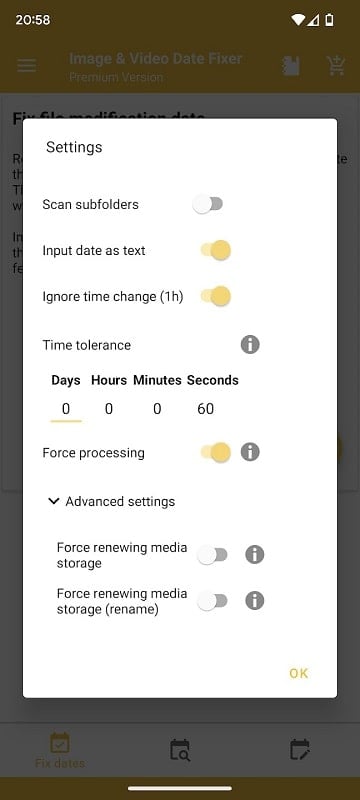
Customization options include choosing which timestamp fields to write, preferred date and time formats, and rules for handling conflicts when multiple possible dates exist. The app supports semantic file renaming based on corrected dates and lets you preserve original files or create timestamp-only copies for safety. Settings allow the app to respect read-only directories, skip media smaller than a chosen threshold, and honor existing album metadata so you can tailor behavior to your habits and storage setup.
The interface uses a clear, contrast-aware visual style with large, readable timestamps and descriptive icons to help users quickly assess file state. Accessibility features include scalable text sizes, support for screen readers, and simple, high-contrast modes for users who need them. Controls are reachable with one hand on modern phones and the layout adapts for tablets to show more detailed previews and side-by-side comparisons during review.
Image & Video Date Fixer is designed to work offline with files stored locally on your device or on mounted external storage; cloud access is optional and performed only with explicit permission. Background processing handles large batches without blocking other apps and you can pause or resume scans as needed. The app emphasizes safe operations: it offers dry-run previews, reversible edits when possible, and clear prompts before making irreversible changes so you can trust the process on important archives.
Some items will have irrecoverable metadata, and the app flags those cases with explanations so you know when a best-effort guess was used. For partially corrupted files the diagnostic view shows which indicators were available and how the final timestamp was chosen, giving you transparency and manual override options. Known limitations are communicated up front: if all source metadata has been permanently removed, no automated tool can restore the exact original date, but Image & Video Date Fixer helps you organize what remains and document decisions for future reference.
Image & Video Date Fixer 2.8.5 improves date extraction accuracy, extends support for additional camera and video container formats, and refines automatic scanning across device and external libraries while preserving manual editing workflows. This release also enhances stability during large-batch processing and adds clearer diagnostic messaging so you can make informed choices when restoring timestamps.