Locator 24 is a practical family safety and location app that helps parents and caregivers keep an eye on loved ones and respond quickly when something is wrong. From the moment you install Locator 24 you can set up a simple group of trusted contacts, give the app the necessary location permissions, and start seeing real-time positions on a clear map. The app is built around a straightforward workflow: add family members, allow periodic location updates, and use dedicated tools such as SOS signals and voice chat when you need faster communication or help locating a device.
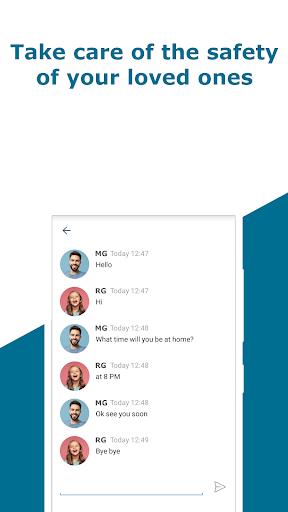
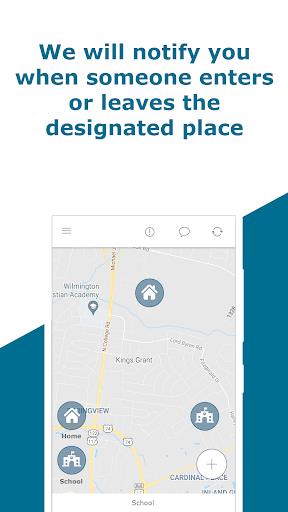
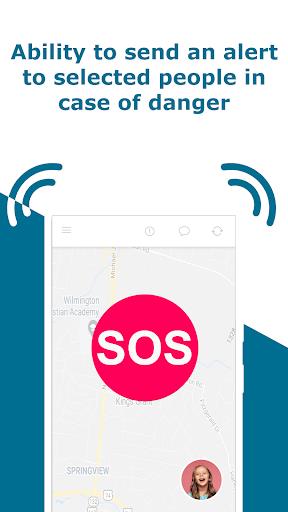
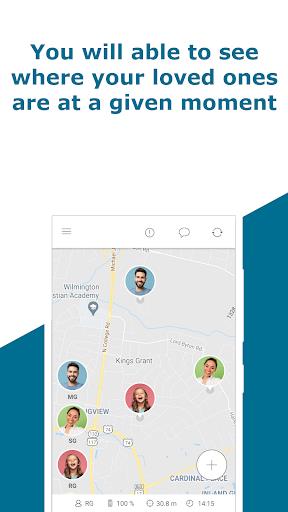
Locator 24 combines GPS and cellular positioning to supply regular location updates and a location history you can review later. On the main map view each person appears with an identifiable icon so you can tell at a glance who is where. Geofence alerts let you define safe zones around places like home, school, or a workplace and receive notifications if someone enters or leaves those areas. The SOS emergency signal is a one-tap control that immediately notifies selected contacts; it is designed for quick use and to cut through slow dialing or uncertain descriptions during an urgent moment. The app also includes in-app voice chat so family members can speak directly through the app when a text is too slow, plus tools to help find a misplaced phone by showing its last known or current position when available.
The interface emphasizes clarity and low friction. Typical controls are simple taps and swipes: tap a person’s icon to see recent movement, tap a button to send an SOS, and use standard map gestures to zoom or pan. A history view organizes past locations by date and time so you can review a route or verify arrivals and departures without scrolling through raw data. Setup walks you through inviting contacts and confirming device permissions; once configured, the day-to-day controls are intentionally minimal so families can adopt the app without a steep learning curve.
Instead of game-like progression, Locator 24’s progression is about trust and configuration: initially add a small circle of contacts, then expand geofence rules, adjust location update frequency, and fine-tune notification preferences as you learn how your household uses the app. Customization options let you set how often locations are refreshed, choose radius sizes for geofences, and select which notifications you receive on your device. Icons and map markers are color-coded to reduce confusion, and you can name common places for quick geofence creation. Over time the location history builds a clearer picture of routines, which many users find helpful for planning commutes, pickups, and safety checks.
The visual approach is clean and utilitarian: a map-centered dashboard, a separate history timeline, a contacts panel, and a settings area that keeps privacy and notifications in one place. Map tiles adapt to familiar Android map styles so the look fits what users expect from mapping apps, while simple icons and labels keep the screen readable in daylight or low-light conditions. Navigation is section-based rather than hierarchical; most tasks are one or two taps away to reduce the time needed to check a location or send a help request.
Locator 24 relies on the device’s GPS and cellular connections for the most accurate updates; accuracy can vary in dense urban canyons, indoors, or underground. When a device is offline the app will display the last known location and queue alerts until the connection restores. Battery and signal challenges are a normal part of location apps, so Locator 24 includes suggestions in its settings to balance update frequency with power consumption. The app follows platform accessibility settings so larger fonts, screen readers, and system contrast options are honored; notification vibration and sound settings are adjustable to accommodate different user needs.
Location sharing with Locator 24 is opt-in and controlled by the user: add only people you trust and review permissions regularly. While the service aims to be reliable, it cannot guarantee perfect accuracy or uninterrupted connectivity, and features like voice chat require an active network connection. For best results enable location services, keep the app updated, and allow background activity where appropriate. Taken together, Locator 24 offers a composed set of tools for everyday family coordination and urgent situations, with clear controls and settings that let households balance usefulness, battery life, and privacy.