

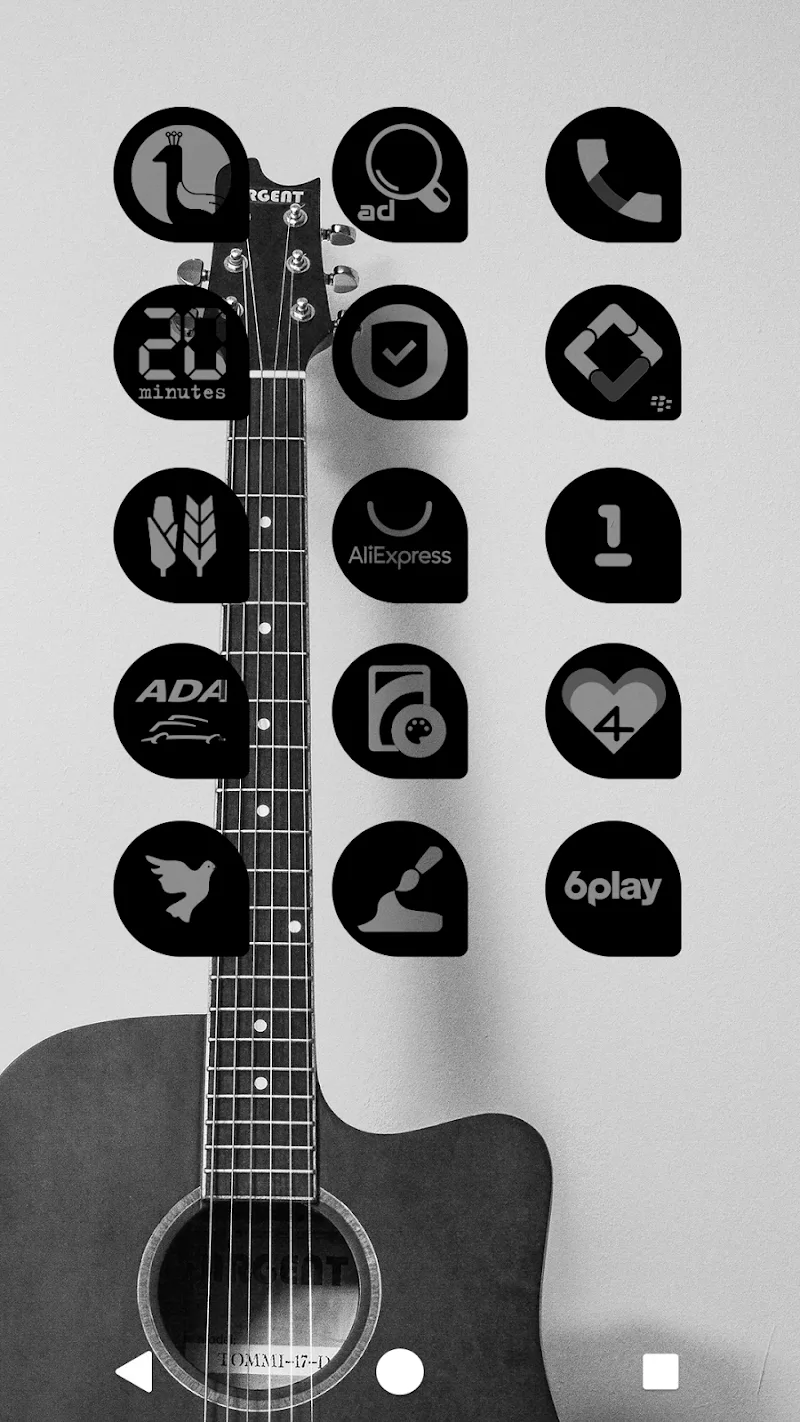
Oscuro Icon Pack reimagines your Android home screen with a dark, minimalist icon set that blends muted tones and subtle depth. It delivers hundreds of themed icons, alternate glyphs, and matching wallpapers, offering a refined, cohesive look that streamlines your device's visual identity while being easy to apply and customize.
Oscuro Icon Pack focuses on visual consistency and understated elegance. Icons follow a low-contrast palette and precise geometry so folders, widgets, and app shortcuts feel integrated. Rather than flashy colors, the design emphasizes legibility and balance, making it suitable for users who prefer a calmer, professional aesthetic on their phones or tablets.
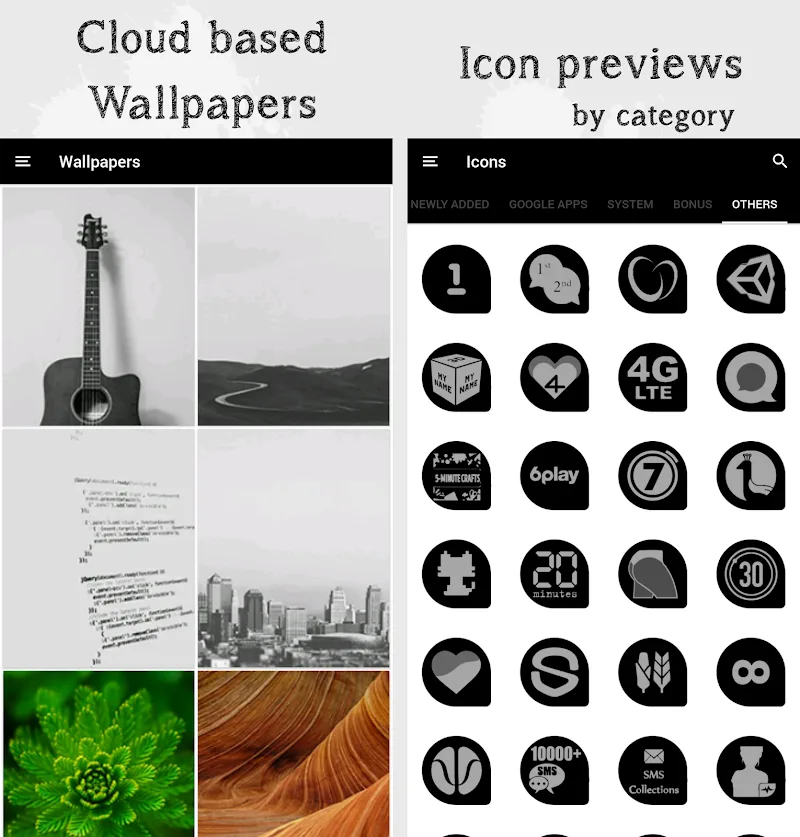
The icon artwork in Oscuro Icon Pack uses simplified shapes, subtle shadows, and a limited color family. Each icon maintains a unified style: consistent corner radii, iconography scale, and visual center. The pack also includes high-resolution wallpapers tailored to complement the icons, plus alternative glyphs for several popular apps to match different layouts and tastes.
Most popular third-party launchers support Oscuro Icon Pack out of the box. Launchers like Nova, Lawnchair, Apex, ADW, and Smart Launcher allow one-tap application of the pack. For launchers without direct support, manual theming is possible by assigning individual icons or using the launcher’s icon pack options. Note that some OEM home screens may not accept third-party icon packs without additional steps.
Icon packs are lightweight compared to full apps. Oscuro Icon Pack keeps resource usage minimal by serving compressed, optimized images. You should not notice measurable battery drain or slowdowns after applying the theme. Updates that add icons or wallpapers are small and generally quick to download.
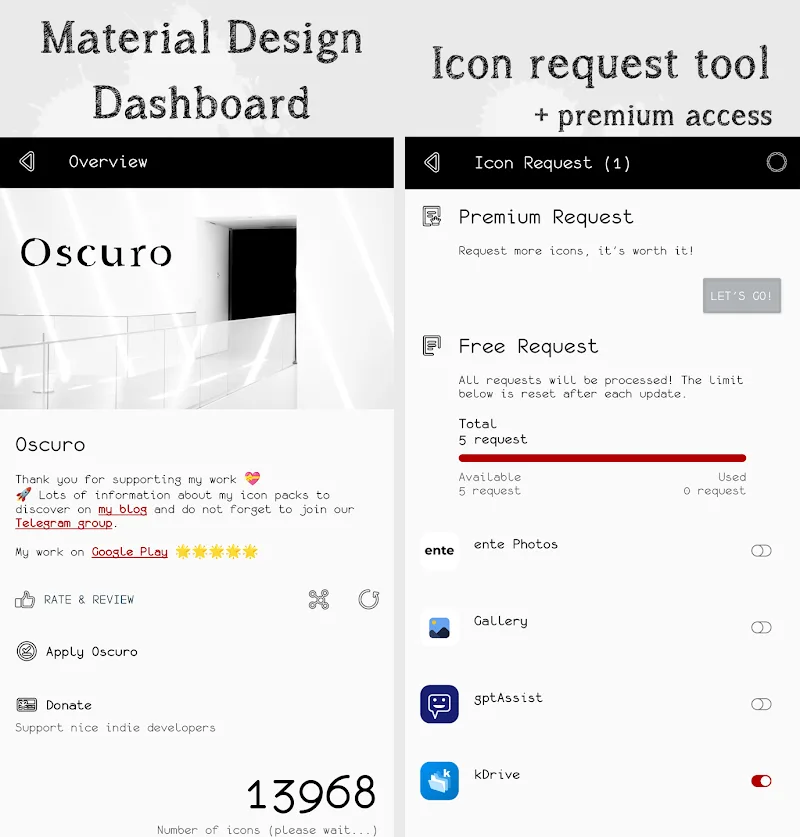
The pack includes an easy-to-navigate companion app that centralizes application, backup, and icon requests. The app lists available icons, provides a preview of home screen layouts, and exposes a one-tap apply for supported launchers. This makes switching themes and restoring previous configurations straightforward for users who experiment frequently.
Oscuro Icon Pack typically receives incremental updates that expand the icon catalog, refine artwork, and add seasonal wallpapers. The icon request feature helps developers prioritize additions. Regular updates mean the pack becomes more comprehensive over time, reducing the number of unthemed apps on your device.
Users who favor minimalist or dark system themes, professionals looking for a subdued yet polished home screen, and anyone who prefers visual coherence over loud colors will find this pack appealing. It’s also a good fit for devices with OLED displays where dark wallpapers help save power.
Install the Oscuro Icon Pack app, open it to preview choices, and apply the theme through your launcher’s icon pack menu. If an app doesn’t adopt the new icon, use the icon request feature within the companion app or assign icons manually in your launcher settings. Back up your home layout before making major changes to revert easily if needed.
For users who value a quiet, cohesive look, Oscuro Icon Pack offers a measured approach to theming that keeps the interface tidy without sacrificing clarity. With steady updates and a helpful companion app, it’s a practical choice for anyone customizing their Android experience.