




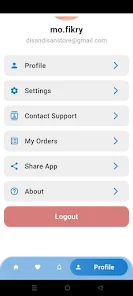

disan-store provides a simple way to browse and download Android APKs from a curated catalog. disan-store organizes apps into categories, supports keyword search and update notifications, and shows clear app descriptions and user ratings.
Open disan-store, search or browse categories, review app details and permissions, then download the APK file to install. The interface is designed for straightforward navigation and quick access to version information where available.
disan-store displays permission and version information so users can assess each app. For questions or to report issues, use the in-app feedback option or the developer contact listed in the app details.